Loading video…
All breakouts 5 videos4 creators
6.1Talking HeadHow-To hookEcommerce
Hook
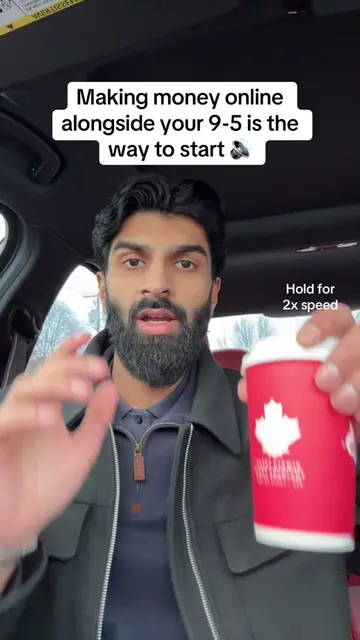
Everything you need to start an Amazon FBA business
@ghaffarmehmood
29.2K followers · usually 25.3K views a post
Views
151.4K
Likes
7.3K
Comments
146
Shares
1.8K
Promoted product
Amazon FBA business
amazon fba — retail + online arbitrage. we build the infrastructure you need to build, scale, and profit.
Summary
This video explains the process of starting an Amazon FBA business. It covers setting up a Seller Central account, using product research tools like Selleramp and Keepa, finding profitable products, listing them on Amazon, and preparing them for shipment to Amazon's fulfillment centers.
Transcript
Everything you need to start an Amazon FBA business. You need a laptop or a computer and then we're gonna go to sell.amazon.com or .ca and we're gonna sign up for a Seller Central account. Going to need a product research tool like Selleramp. We're gonna use another tool called Keepa. You guys have over 5 billion Amazon products in their database. Next we're gonna do some reverse sourcing. So this seller here is currently selling Barbie Garnier, all brand name products. We can go through his entire catalog and see what he's selling and try to find something. Once we find a product that's gonna be profitable for us, we're gonna go down here and we're gonna add product to our inventory. Going to add our price, we're gonna add the item condition as new and we're gonna get this fulfilled by Amazon. So I'm gonna click all these and then I'm just gonna save and finish. We'll be applying our own barcode. So we're gonna go use Amazon barcodes and then we're gonna list as FBA. Now once the product arrives, we're gonna go back to our inventory. We're gonna get the product that we need. We're gonna checkmark it and then we're gonna go down and print item labels. Print the amount of units that you bought. In this case I'm just gonna do 10. Print item labels and Amazon's gonna provide the labels that we're going to be using to put on the product right over here. Now we're going to use our new labels, put these over top of our existing barcodes and we're going to cover those up with these new ones. Throw everything in a box, everything that's labeled up, we're gonna put it in a box. Now we're gonna go back on the computer. We're gonna go to shipments and create our workflow. Search up the product that you're gonna send off. Now insert the unit you're sending, ready to pack. And it's gonna finalize everything. And we're gonna pack individual units here. Everything will fit into one box and we're gonna confirm. We're gonna put our dimensions in here, confirm and continue and Amazon will give us the shipping labels that we're going to be putting on the boxes. Gives us the UPS cost for this shipping label and exactly where it's going to go and our contents for this box. To get the shipping labels from Amazon, you're gonna put them right on the boxes. There's going to be two of them in this case. They're going to look something like this as well. Schedule UPS pick up for all your shipments. After about three to five days, your listings will be active and you should see this in your inventory tab and then Amazon will pick pack and ship every order that you receive from a customer.
Original caption
Everything you need to start selling products on Amazon #amazonseller
More from @ghaffarmehmood
More breakout videos from this creator.