The video provides a clear, step-by-step tutorial on creating a digital product and selling it online, appealing to a broad audience interested in passive income. The use of Canva's AI features and the demonstration of a successful sales process make it actionable and aspirational.
Summary
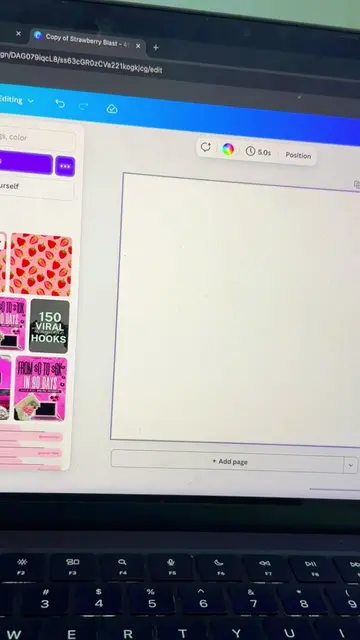
This video demonstrates how to create and sell a digital income and expense tracker using Canva. The creator shows how to use Canva's AI features to generate content, customize templates, and export the design as a PDF, which is then uploaded and sold on a platform like Stan Store.
Structure
1Introduction to paying bills with Canva
2Creating a digital income tracker using Canva AI
3Customizing and formatting the tracker
4
Original caption
This is how I pay my bills without a job using Canva 💻✨ You don’t need experience, a website, or a big following to start making money online. Here’s what’s really happening in this video: I use Canva AI to create a digital income tracker planner I review and tweak the content so it actually makes sense I turn it into a clean multi page planner I export it as a PDF I list it as a digital product on Etsy I promote it with simple content on Pinterest or Instagram That’s how views turn into clicks and clicks turn into sales. 👇 Comment READY if you want done for you document templates already formatted in different niches #makemoneyonline #digitalproducts #fypage #sidehustles #passiveincome
More from @vanadyhustles
More breakout videos from this creator.
Selling the tracker on Stan Store
5Promoting the product on social media
6Call to action to follow for more tips
Product placement
Canva: A graphic design platform used to create various digital assets. It ACTS as the primary tool for creating the digital income tracker. Removing it would change what happens in the video.
Canva AI: A feature within Canva that generates content. It ACTS as a tool to help create the digital income tracker. Removing it would change what happens in the video.
Call to action
Follow me for side hustles and ways to make money online as a beginner.
On-screen text
Dream Big
Stay Positive
Chase Your Dreams
Aim High
Think Positive
Never Give Up
Keep Going
Believe In Yourself
Transcript
This is how I pay my bills without a job. Just using Canva. Open Canva and head to Canva AI. Let's create a digital income and expense tracker for beginners building online income. Create a clean digital income and expense tracker for beginners building online income. Give me a moment while I work on this. Mapping out design elements. Polishing design details. Digital Income & Expense Tracker A Simple Guide for Beginners. Introduction. Welcome! As you start your online income journey, it's crucial to manage your finances and expenses. This guide introduces a simple, clean, and digital way to track your income and expenses. Understanding where your money comes from and where it goes is the first step toward building a sustainable online business. Why Track Income and Expenses? Financial Clarity: See exactly how much you're earning and spending. Profitability: Identify profitable areas and cut unnecessary expenses. Tax Compliance: Simplify tax preparation by having organized records. Informed Decisions: Make better financial decisions based on data. Goal Setting: Track your progress toward financial goals. Setting Up Your Digital Tracker. We recommend using a spreadsheet program like Google Sheets or Microsoft Excel to create your income and expense tracker. They are free, easily accessible, and offer powerful features for organizing and analyzing your financial data. Here's a basic template to get you started: 1. Create a New Spreadsheet. Open Google Sheets or Microsoft Excel and create a new, blank spreadsheet. 2. Set Up Columns. Create the following columns in your spreadsheet: Date: The date of the income or expense. Description: A brief description of the transaction (e.g., 'Freelance Project - Website Design', 'Software Subscription'). Category: Categorize the transaction (e.g., 'Income', 'Advertising', 'Software', 'Education'). Income (+): The amount of income received. Leave blank for expenses. Expense (-): The amount of expense incurred. Leave blank for income. Notes: Any additional notes or details. Date Description Category Income (+) 2024-01-05 Freelance Project - Website Design Income 700 2024-01-10 Adobe Creative Cloud Subscription Software 2024-01-15 Affiliate Marketing Income 150 Timer 64% Arimo. If needed, tweak the wording or section so it fits how you track income. This will be the design for the planner. Now create a new design with a custom size of 594 by 420 px. Click Create new design. Search for planner style templates. You can customize them or use Magic Media to generate visuals that match your digital income tracker view. This is exactly how I design mine. Copy the tracker content Canva AI generated and paste it directly into your design. Keep the design clean, simple, and beginner-friendly. Create multiple pages for your tracker. Once you're finished, save everything as PNG files. Now create a new design using an A4 portrait size. Go to Apps and search for Image Splitter. Upload the PNG files you created. Split them into one row and two columns. Apply the split image and add each section to a new page. This turns your designs into a full printable digital planner. Now you have created a digital income and expense tracker. Now sell it on Stan store. Add product and choose Digital Product. Add your title, description, and price. $19.99. Collect info. Name, Email. Upload your digital product. Stan will send these files automatically to your customer upon purchase! Upload File. Drag your file(s) here. Upload. Save as Draft. Publish. Improve this page. This is what it looks like as a finished digital planner. Now let's sell it on Stan store. Add product and choose Digital Product. Add your title, description, and price. $19.99. Stan. My Store. Add New Product. Thumbnail. Choose Image. Title. Digital Income & Expense Tracker. Description Body. This [Template/eBook/Course] will teach you everything you need to achieve your success. This guide is for you if you're looking to: Achieve your Dream. Find Meaning in Your Work. Be Happy. Bottom Title. Get My Guide. Call-to-Action Button. PURCHASE. Set price. Price($)* 19.99. Discount Price($) 0. Upgrade to Unlock. Collect info. Fields. Basic info fields can't be edited. Name. Email. Collect additional customer info. Add Field. Upload your Digital Product. Digital Product*. Stan will send these files automatically to your customer upon purchase! Upload File. Redirect to URL. Drag Your File(s) Here. Upload. Save As Draft. Publish. Improve this page. Upload the PDF file you exported from Canva. Once it's live, promote it on Pinterest or Instagram. Post content about your product and link it directly to your Stan store. That way, views turn into clicks and clicks turn into sales. Done for you templates that are already formatted in different niches. Follow me for side hustles and ways to make money online as a beginner.

 229 videos128 creators