Loading video…
All breakouts
23.1Talking HeadDirect Question hookCreator Economy
Hook
If you're a DJI
@eleazarvisuals
5.5K followers · usually 1.6K views a post
Views
32.4K
Likes
1.6K
Comments
53
Shares
161
Promoted product
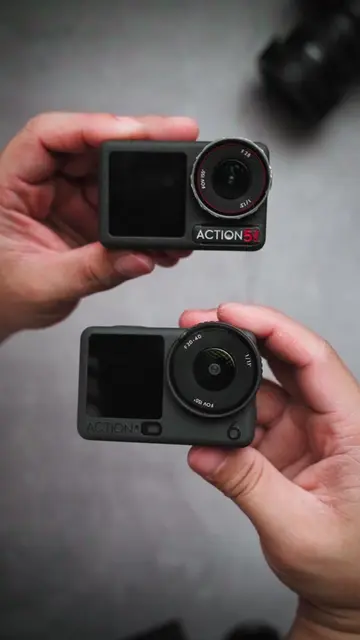
DJI Action 5 Pro
Product placement
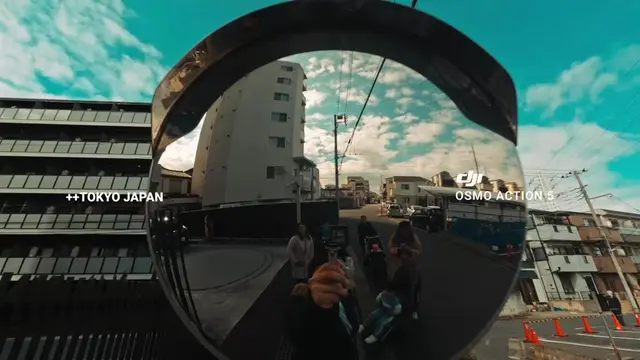
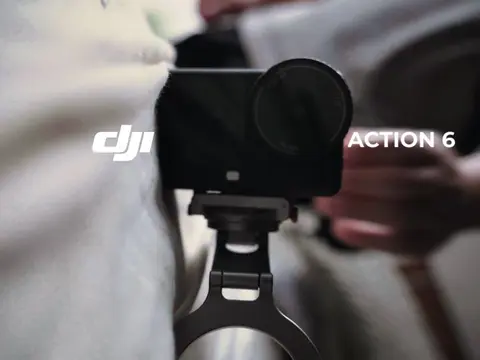
DJI Action 5 Pro (ACTS - it is shown being operated and its settings are discussed, removing it would change the video) nDJI Osmo Action 6 (ACTS - it is shown being operated and its settings are discussed, removing it would change the video) nDJI (APPEARS - logo on screen, removing it would not change the video)
Call to action
Save this DJI Action 5 Pro & Osmo Action 6 settings guide!
On-screen text
1.PURE VLOGGINGnAUTO EXPOSUREn4k24 fpsn-0.3 evnAUTO EXPOSUREnAUTO WBn2.VLOGGING + CINEMATICn1/200 shutter speedn4k60fpsn2.VLOGGING + CINEMATICn1/200 shutter speedn4k60fpsnstabilization system is trying to stabilizenfootage that already contains motion blurncauses unnatural "wobble", warping, or smearingn(OIS)nOptical Image Stabilization In-Camera Hardwaren(EIS)nElectronic Image Stabilization In-Camera Softwarenaction cam stabilize video with motion blur so it seems jitteryn60fps x 2 = 1/120nSOLUTION:nFASTER SHUTTER SPEEDngives camera room to adjust exposure and still get somenmotion blur.n3.PURE CINEMATIC -nw/gimbal/static shots/tripodn4k24 fpsnShutter speed: 1/50n180 degree rulenwith ND filtern180°nShutter RulenSetnShutternSpeedn2xnFramenRaten24n1/48nshutter speed 1/48 of a second.
Original caption
Stop the JITTER & GHOSTING on your DJI Action Camera 🚫 🎥 Vlogging = Auto Exposure 🎥 Vlog + Cinematic = 1/200 + ND Filter 🎥 Pure Cinematic = 1/50 (180° Rule) Save this DJI Action 5 Pro & Osmo Action 6 settings guide! #DJIAction5Pro #OsmoAction6 #creatorsearchinsights #CameraTips #TikTokCreator
More from @eleazarvisuals
More breakout videos from this creator.