Loading video…
All breakouts
21.1App DemoOther hookGames
Hook
Unboxing my secondary 14.5inch touch screen monitor, the Corsair Xeneon Edge.
@ytgeekstreet
246.0K followers · usually 14.2K views a post
Views
242.7K
Likes
4.5K
Comments
17
Shares
504
Why it worked
The video effectively demonstrates a practical use case for a secondary monitor, appealing to users looking to enhance their desk setup for both productivity and gaming. The clear unboxing and setup process, combined with visual examples of its functionality, make it relatable and aspirational.
Summary
The video showcases the unboxing and setup of the Corsair Xeneon Edge, a 14.5-inch secondary touchscreen monitor. It highlights the monitor's dashboard and desktop extension modes, demonstrating its use with gaming and productivity.
Structure
- 1Unboxing the Corsair Xeneon Edge monitor.
- 2Demonstrating the monitor's dashboard mode with widgets.
- 3Showing the monitor as a desktop extension.
- 4Using the monitor while gaming (Fortnite, Forza Horizon).
- 5Final setup of the desk with the secondary monitor.
Product placement
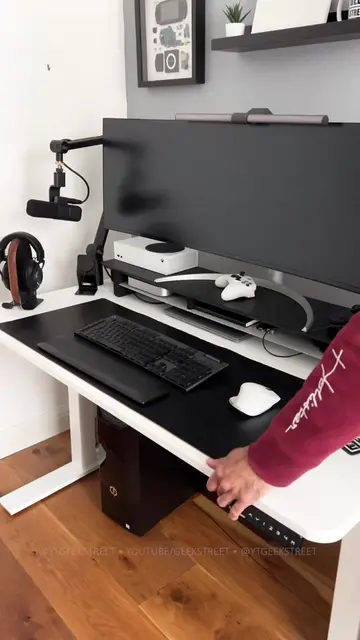
Corsair Xeneon Edge (ACTS - it is an unboxed and demonstrated secondary monitor that displays widgets and extends the desktop; removing it would change what happens in the video). Corsair (APPEARS - it is the brand of the monitor, but removing it would not change what happens in the video). Logitech (APPEARS - it is the brand of the mousepad, but removing it would not change what happens in the video). Logitech (APPEARS - it is the brand of the mouse, but removing it would not change what happens in the video). Logitech (APPEARS - it is the brand of the keyboard, but removing it would not change what happens in the video). Fortnite (APPEARS - it is a game being played on the main monitor, but removing it would not change what happens in the video). Forza Horizon (APPEARS - it is a game being played on the main monitor, but removing it would not change what happens in the video).
Original caption
Unboxing my secondary 14.5inch touch screen monitor, the Corsair Xeneon Edge. It has an ultrawide resolution of 2560 x 720, and you have 2 modes - 1 is a dash board view so you can add different widgets, and the other is an extension of your desktop @corsair #monitor #unboxing #corsairxeneon #corsair #desksetup
More from @ytgeekstreet
More breakout videos from this creator.