Loading video…
All breakouts
 CapCutseen in 576 videos →
5.3App DemoOther hook
Hook
vlog
@celfstudio
52.5K followers · usually 44.8K views a post
Views
206.8K
Likes
15.4K
Comments
119
Shares
910
Selling · SaaS › Other SaaS
Why it worked
The video provides practical, actionable advice on using a popular editing tool (CapCut) for a common content format (vlogs), making it highly valuable and shareable for aspiring creators.
Summary
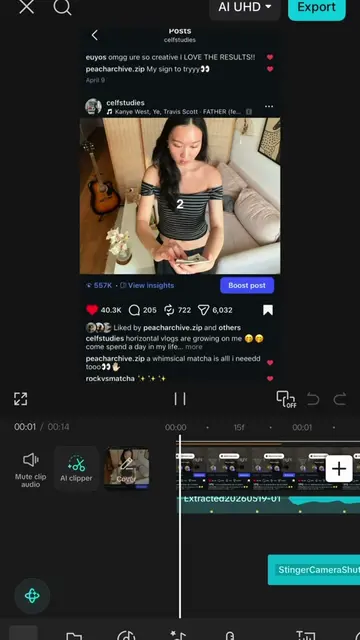
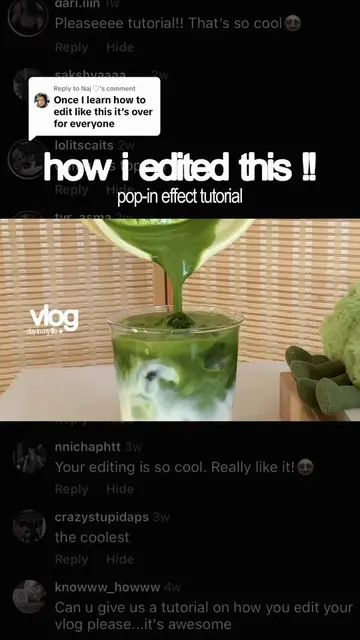
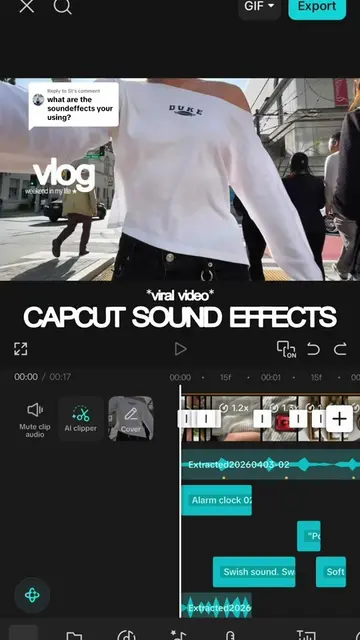
This video showcases the sound effects timeline within the CapCut editing app, demonstrating how to use various sound effects and editing techniques for a vlog. The creator shares tips on utilizing CapCut's features, including the sound library and beat generator, to enhance video editing.
Structure
- 1Introduction to CapCut sound effects timeline
- 2Demonstration of various sound effects
- 3Tips for editing and pacing
- 4Using the beat generator
- 5Encouragement to use and ask questions
Product placement
CapCut: it ACTS - it is the video editing software used to create the vlog, with its sound effects timeline and editing tools visible and discussed. Removing it would change what happens in the video.
On-screen text
vlog
day in my life edit
CAPCUT SOUND EFFECTS
AI UHD
Export
Original caption
the @CapCut SFX timeline from my recent vlog !! feel free to steal my sound effects + ask any other questions 💌 💡quick tips: - explore the capcut sound library, i get most of my sfx from here - i use many fast cuts to keep the pace of my video exciting - always use the “beats generator” on your song of choice to get those yellow dots you see in the timeline (i line all my sfx and video cuts to the beats!) #capcut #capcutedit #editingtutorial #Vlog #soundeffects faceless account, capcut sound effects, viral, cinematic
More from @celfstudio
Their other posts in the index, biggest breakout first.