Loading video…
All breakouts
50.8App DemoResult / Flex hookGames
Hook
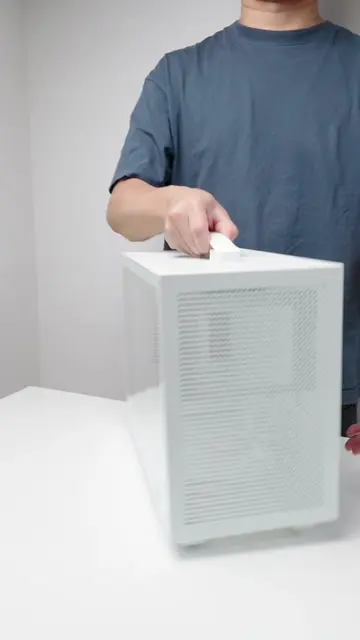
I can’t believe how cheap this mini ITX Gaming PC case is 🤯
@jammymunky
6.7K followers · usually 16.6K views a post
Views
678.9K
Likes
36.4K
Comments
296
Shares
3.0K
Promoted product
mini ITX Gaming PC case
Why it worked
The video appeals to PC building enthusiasts by showcasing a compact and aesthetically pleasing build. The use of popular brands and clear, step-by-step assembly instructions makes it informative and aspirational for viewers interested in building their own small form-factor gaming PCs.
Summary
The video demonstrates the assembly of a compact mini-ITX gaming PC. It shows the installation of various components including the motherboard, CPU, RAM, SSD, fans, power supply, and graphics card into a small form-factor case. The process is shown step-by-step, culminating in a view of the completed build.
Structure
- 1Unboxing and preparing the PC case
- 2Assembling the motherboard with CPU, RAM, and SSD
- 3Installing fans and CPU cooler
- 4Mounting the motherboard and power supply into the case
- 5Installing the graphics card and connecting cables
- 6Finalizing the build and showing the completed PC
Product placement
AMD (appears, does not act, removing it would not change what happens in the video)
ASRock (appears, does not act, removing it would not change what happens in the video)
Keychron (appears, does not act, removing it would not change what happens in the video)
Ryzen (appears, does not act, removing it would not change what happens in the video)
Crucial P3 Plus (acts, its interface is operated to generate storage, removing it would change what happens in the video)
Arctic (appears, does not act, removing it would not change what happens in the video)
ID-COOLING (appears, does not act, removing it would not change what happens in the video)
Corsair SF600 (acts, its interface is operated to provide power, removing it would change what happens in the video)
GIGABYTE (appears, does not act, removing it would not change what happens in the video)
Original caption
I can’t believe how cheap this mini ITX Gaming PC case is 🤯 #pc #pcgaming #pcbuild #pcgamer #pcsetup @AMD @ASRock @Keychron
More from @jammymunky
More breakout videos from this creator.