Loading video…
All breakouts
7.8App DemoOther hookCreator Economy
Hook
Welcome to Script Slayer ⚔️🫵
@studio_aaa
25.2K followers · usually 2.6K views a post
Views
20.1K
Likes
2.0K
Comments
15
Shares
164
Promoted product
Script Slayer
Why it worked
The video effectively demonstrates a niche creative tool with visually interesting outputs, appealing to users interested in retro art and ASCII generation. The mention of a free update and a specific feature like 'Dither Boy' creates a sense of value and exclusivity.
Summary
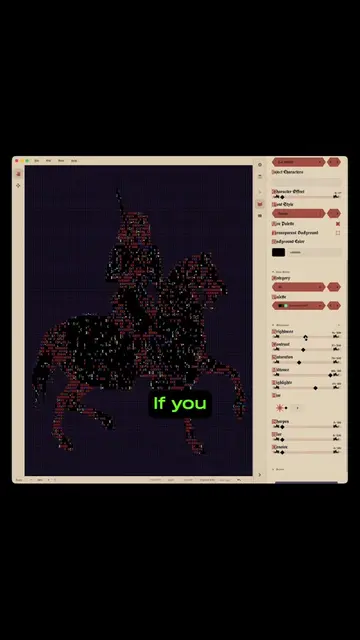
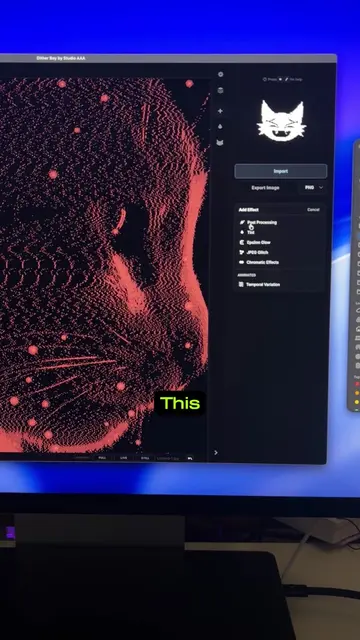
This video showcases Script Slayer, a desktop application for creating ASCII art and animations. It highlights the software's ability to use various character sets and custom colors to generate unique artwork, emphasizing its free inclusion in the Dither Boy update.
Structure
- 1Introduction to Script Slayer
- 2Demonstration of ASCII art generation with various characters and colors
- 3Showcasing different art styles and export options
- 4Highlighting the free inclusion in the Dither Boy update
Product placement
Script Slayer (ACTS - it is software that generates ASCII art, its interface is operated, it produces a visible result, and the creator says it renders images): Promotional, remove it and the video has no subject. Dither Boy (ACTS - it is a specific type of ASCII art or a feature of the software that is being demonstrated and used to create images): Promotional, remove it and the video has no subject.
On-screen text
Script Slayer
Export Image
Category
Character Category
Character Effect
Object Characters
Style
Color Palettes
Transparent Background
Background Color
Points
Brightness
Contrast
Saturation
Color Depth
Reset to Default
Original caption
Welcome to Script Slayer ⚔️🫵 already yours if you have Dither Boy #retroart #ascii #ditherboy
More from @studio_aaa
More breakout videos from this creator.