Loading video…
All breakouts 2 videos
14.9App DemoOther hookConsumer Apps
Hook
Oke Guys Kali Ini Gue Bakal
@zeven41
1.5K followers · usually 23.5K views a post
Views
44.1K
Likes
2.1K
Comments
74
Shares
159
Promoted product
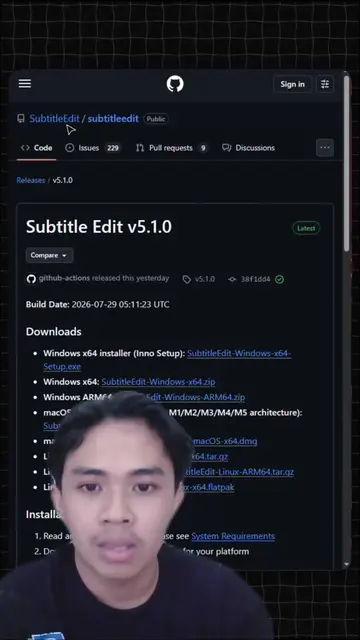
Subtitle Edit
the subtitle editor :). Contribute to SubtitleEdit/subtitleedit development by creating an account on GitHub.
Why it worked
The video provides a practical and free solution to a common creator problem (subtitle generation), demonstrating a useful software with clear steps. The creator's emphasis on it being free and offline, combined with the AI capabilities, makes it highly valuable for content creators.
Summary
The video demonstrates how to use Subtitle Edit, a free and offline software for automatically generating and editing subtitles. It covers downloading the software, opening a video file, and using the 'Speech to text' feature with various engine and model options. The tutorial also shows how to adjust subtitle line lengths and manually edit the generated subtitles.
Structure
- 1Introduction to Subtitle Edit
- 2Downloading and opening the software
- 3Using 'Speech to text' feature
- 4
Original caption
tutorial menggunakan subtitle edit. bikin subtitle otomatis gratis dan offline #SubtitleEdit #AutoSubtitle #CapCut #ContentCreator #TechTok #ToolsGratis #SoftwareGratis #TikTokTips #fyp
More from @zeven41
More breakout videos from this creator.