Loading video…
All breakouts
28.1App DemoHow-To hookLifestyle
Hook
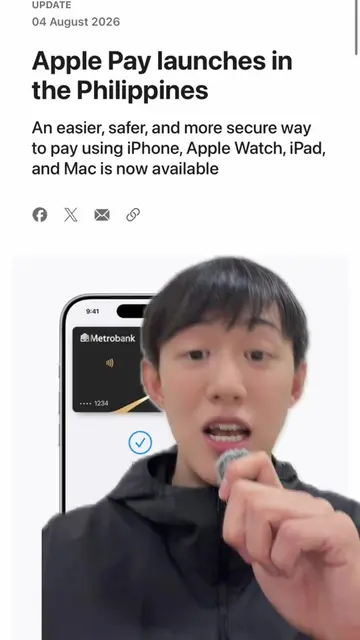
HOW TO ADD YOUR CARDnTO APPLE PAY
@jaxreyes_
642.5K followers · usually 23.7K views a post
Views
667.4K
Likes
30.4K
Comments
816
Shares
8.4K
Product placement
Apple Pay (ACTS - payment system, removing it would change what happens in the video), Chinabank (ACTS - bank issuing the card, removing it would change what happens in the video), VISA (APPEARS - card network logo, removing it would not change what happens in the video), Mastercard (APPEARS - card network logo, removing it would not change what happens in the video)
Call to action
Continue
On-screen text
WalletnHOW TO ADD YOUR CARDnTO APPLE PAYnAdd to WalletnKeep all the cards, keys, and passes you use every day all in one place.nCards Found For YounFrom other devicesnDebit or Credit CardnTransit CardnCreate anMake customnmembershipnFrom Apps on YonVISAnDebit or Credit CardnNo need to reach for cards when it's time to pay. Just use your iPhone or App to pay online, in stores where contnCard-related information, locaninformation about devicenpatterns may be serntogether with accounnassessments to younnetwork to set up Antransaction fraud.nSee how your datanContinuenPlace iPhone onnCardnKeep in place until the card is read.nEnter Card DetailsnTerms and Conditions for Secure Digital Card PaymentsnUsing Chinabank CardsnThese T&Cs for Secure Digital Card Payments Using Chinabank Cardsn("T&Cs") supplement the Terms and Conditions Governing the Issuance andnUse of Chinabank Credit Cards and Terms and Conditions Governing thenIssuance and Use of Chinabank Debit Cards (collectively "Card T&Cs"). ThesenT&Cs shall be read and construed together with the Card T&Cs and othernapplicable rules, guidelines, or policies governing the use of credit and debitncards issued by China Banking Corporation.nIn the event of any inconsistency or conflict between these T&Cs and the CardnT&Cs, these T&Cs shall prevail, but only to the extent of such inconsistency ornconflict.nBy registering your Chinabank Card on My CBC App or adding it to any e-nWallet as a Digital Card, you acknowledge that you have read, understood, andnagreed to be bound by these Terms and Conditions, including the applicablenTerms and Conditions governing the use of Digital Cards and e-Wallet Services.n1. Definitions and Interpretationsn1.1 Certain Defined Terms. As used herein, the Terms shall have thenfollowing meanings:n"Bank" refers to China Banking Corporation.n"Chinabank Cards" means the credit or debit card issued by the Bank innplastic or physical form.n"Digital Card" refers to a Chinabanknsecurely stored and used for e-nWallets.n"Digital Card Transactions" mean transactions made through an e-Wallet, including but not limited tonpurchases.n"e-Wallet" refers to the mobile or digital application operated by a TokennRequestor where a Cardholder may add, store, or manage their DigitalnCards. e-Wallets enable the use of Digital Cards for contactless payments and onlinentransactions using a digital token in lieu of the physical card details.n"My CBC App" refers to Chinabank's official mobile banking application thatnallow access and manage their Chinabank Digital Cards.nRegistered Cardholder" refers to the device that the Cardholder has enrolled ornDisagreenAgreenAdding CardnSetting up card for Apple Pay...nEnter Card Details ManuallynAdding CardnYour card has been addednto Wallet.nContinuenCard VerificationnChoose how to verify yourncard for Apple Pay.nText MessagenEmailnContinuenCard VerificationnEnter Your ChinabanknVerification Code.nVerification CodenNextnComplete Verification LaternSet as Default Cardnin WalletnThis card will be automaticallynselected when you usenApple Pay.nUse as Default CardnNot NownFrom Chinabankn"World Mastercard Php" isnready for Apple Pay.nSearch in World Mastercard PhpnHold Near ReadernDone
Original caption
HOW TO SET UP APPLE PAY Here's the Step-By-Step Tutorial on how to setup Apple Pay on your iPhone Wallet NOTE: will update which cards and banks are Apple Pay ready!
More from @jaxreyes_
More breakout videos from this creator.