Loading video…
All breakouts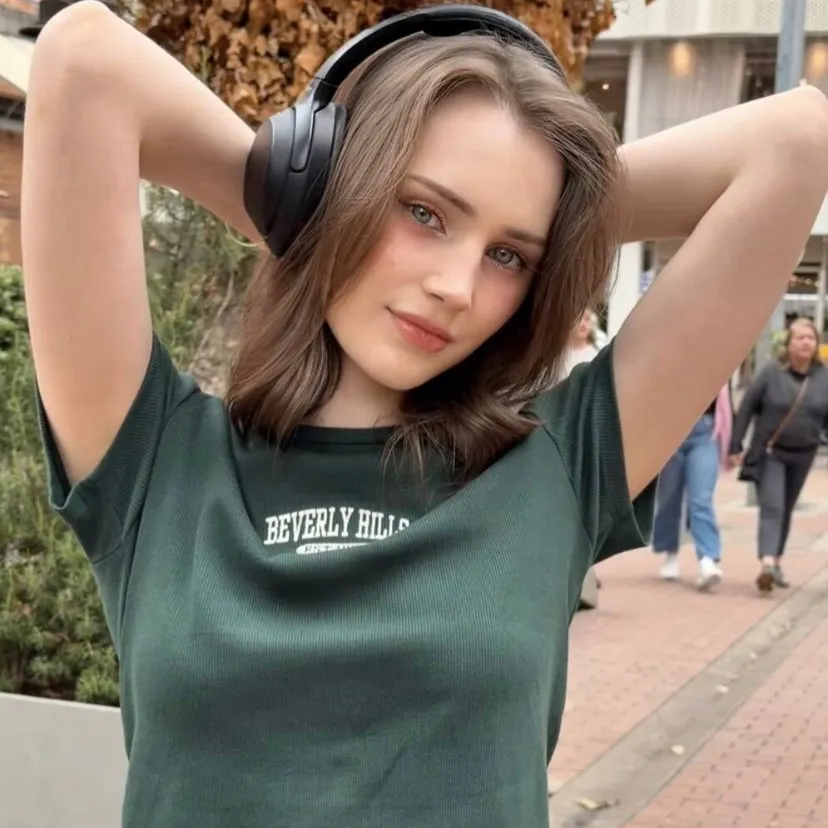
19.0App DemoListicle hookAI Tools
Hook
10 5
@ofipml2
581.9K followers · usually 15.6K views a post
Views
235.1K
Likes
2.7K
Comments
23
Shares
2.5K
Why it worked
The video leverages a trending effect (age filter) and provides a clear, step-by-step tutorial on how to replicate it, making it highly shareable and engaging for users looking to participate in the trend.
Summary
The video demonstrates how to use a trending age filter effect on TikTok. It shows two different individuals, first a young girl and then an older man, with numbers overlayed on the screen to represent different ages. The tutorial then guides the viewer through the steps of copying a video link, navigating to a profile picture, selecting a video, and using CapCut to apply the filter.
Structure
- 1Introduce the age filter concept with a young girl
- 2Show the age filter effect with an older man
- 3Explain how to create the trending age filter
- 4Instruct to copy video link
- 5Instruct to click profile picture
- 6Instruct to select video and use CapCut
Product placement
CapCut Ai (watermark, appears, removing it would not change what happens in the video)
On-screen text
10
5
15
30
50
HOW TO CREATE
5
15
25
35
55
75
5
FILTER EFFECT.
35
55
75
95
KNOW HOW TO
75
95
THIS VIDEO WILL
95
OK!
FIRST, COPY THE
VIDEO LINK,
THEN CLICK ON
MY PROFILE PICTURE.
SELECT THE VIDEO
YOU JUST WATCHED
AND THEN CLICK
CAPCUT.
NEXT, CLICK THIS
RED BUTTON,
THEN THE BLUE
PHOTO AND CLICK
THIS TO FINISH.
Original caption
Tutorial on Age Filter Effects | How to Use Viral Age Filter tutorial on age filter effects how to get age filter age filter effect tutorial viral age filter tiktok capcut age filter tutorial age change filter effect photo age filter trend age filter template #capcut #capcutpioneer
More from @ofipml2
More breakout videos from this creator.