Loading video…
All breakouts
32.2App DemoHow-To hookCreator Economy
Hook
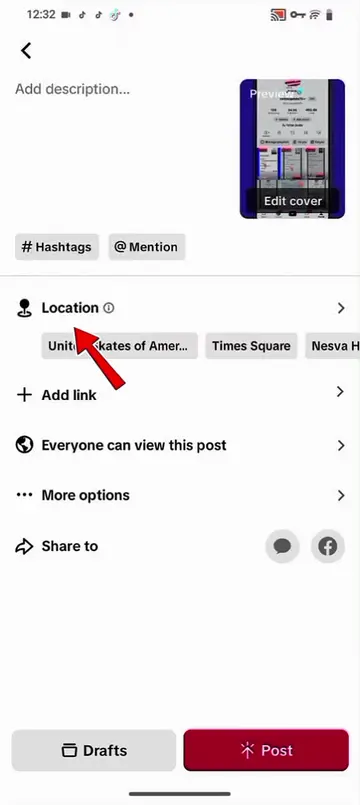
how to post video in Tiktok
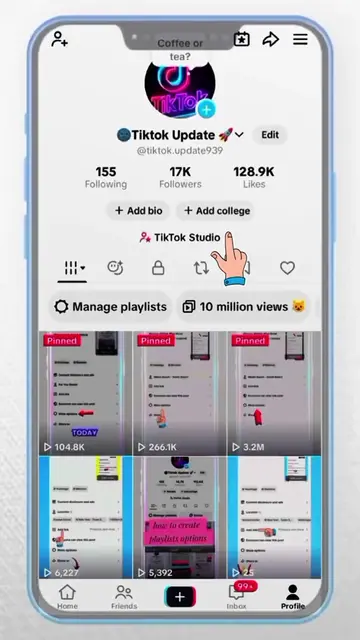
@tiktok.update939
73.2K followers · usually 15.6K views a post
Views
480.2K
Likes
12.1K
Comments
349
Shares
1.3K
Why it worked
The video provides a clear, step-by-step tutorial on a common user action within a popular app, addressing a direct user need and likely driving engagement through its utility.
Summary
The video demonstrates the process of posting a video on TikTok, including adding a description, hashtags, and location. It also shows how to access "More options" to adjust privacy settings like allowing comments and reuse of content, and advanced settings such as video language and AI-generated content. Finally, it shows how to create a playlist for the video.
Structure
- 1Navigating to post settings
- 2Adding description and hashtags
- 3Accessing 'More options'
- 4Adjusting privacy and advanced settings
- 5Creating a playlist
Product placement
TikTok (app): A social media platform for creating and sharing short-form videos. It ACTS as the platform where the video is being created and posted. Removing it would change what happens in the video.
CapCut (app): A video editing app. It APPEARS as a hashtag, but its functionality is not shown or discussed. Removing it would not change what happens in the video.
TikTok creators (account): A TikTok account that provides tips and information for creators. It APPEARS as a mention, but its functionality is not shown or discussed. Removing it would not change what happens in the video.
On-screen text
Previous
Edit cover
Original caption
how to post video in Tiktok 😔 #foryoupage #grow #viral #tiktoktips #fyp @tiktok creators
More from @tiktok.update939
More breakout videos from this creator.