On-screen text
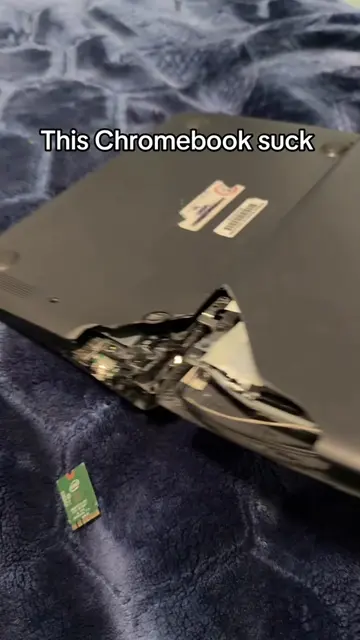
Resetting this school Chromebook that my school threw out and checking the specs
To turn OS verification OFF, press ENTER.
Your system will reboot and local data will be cleared.
To go back, press ESC.
For help visit: https://support.google.com/chromeos-recovery
Model: SNAPPY
OS verification is ON.
Your system will reboot and local data will be cleared.
Welcome to your Chromebook
Fast, Secure, Effortless.
English (United States)
Accessibility
Get connected to enjoy all the features on your new Chromebook
We will remember your network the next time you use the Chromebook
Getting the device ready...
Chromebook's setup
For personal use
Use your personal Google Account.
For a child
Use your child's Google Account or a school account. You can also set parental controls.
For work
Use your organization's email address.
Checking for updates
Review these terms and control your data
You can control what data is shared with Google and ChromeOS apps and services. Allow ChromeOS and Android apps, websites, and services with location permissions to use your location to help provide features and services. You can change this anytime in settings.
Send diagnostic and usage data, help improve Chrome and ChromeOS features and performance. This applies to: automatically sending crash reports, and sharing usage data to help improve ChromeOS and Google services. If you forget your Chromebook lock password, you can still restore your local data. You'll need to sign in to your Google Account to do so.
Location for ChromeOS and Android apps and services. Allow ChromeOS and Android apps, websites, and services with location permissions to use your location to help provide features and services. You can change this anytime in settings.
Participation for ChromeOS and Android apps and services. Allow ChromeOS and Android apps, websites, and services with location permissions to use your location to help provide features and services. You can change this anytime in settings.
To continue, you agree that this device may also automatically download and install system updates and app updates. Some of these apps may offer in-app purchases. Some of these apps may offer in-app purchases.
Type your PIN again
Personalize your display theme
Choose the theme that fits your needs. To change your theme, wallpaper, screen saver, and more, just right-click on the desktop.
Light theme
Keep things bright and sky
Dark theme
Opts into dark light and system themes
Auto
Switch themes of sunrise and sunset
Search your files, apps, and more...
Continue where you left off
Explore
Chrome
Indicio
TikTok
Settings
Sort your apps by name or color
Right-click anywhere to reorder your apps
OK
Play Books
Indicio
TikTok
YouTube M...
Chrome
Gmail
Google Keep
Camera
Settings
Explore
About ChromeOS
Device
Keyboard, touchpad, and style
Dark theme, and screen saver
Privacy and security
Lock screens, and sensors
Apps
Notifications
Accessibility
Screen reader, magnification
System preferences
Languages, phone, keyboard
About ChromeOS
Google ChromeOS
Updating your device (Beta)
Version 114.0.5735.256 (Official Build) (64-bit)
What's new
See: Automatic updates provide you with the latest features, Explore Highlights from recent up...
Get help
View help articles or find device support
Send feedback
Share feedback or report an issue
Diagnostics
Test your battery, CPU, memory, connectivity, and more
Firmware updates
Firmware is up to date
Battery health
99%
Cycle count
201
Current
3403mA
Run Charge test
Intel(R) Celeron(R) CPU N3350 @ 1.10GHz (2 threads, 2.40GHz)
CPU
100%
75%
50%
25%
0%
Current usage
69%
Temperature
56 C
Current speed
2.40GHz
Run CPU test
Memory
2.35 GB of 4.00 GB available
Run Memory test
Basemark Web 3.0
WebGL 2.0 Test (test 5/20)
Total test time: 3 - 20 min
Mobile: Use charger
Keep screen alive!