Loading video…
All breakouts
28.4Talking HeadHow-To hookLifestyle
Hook
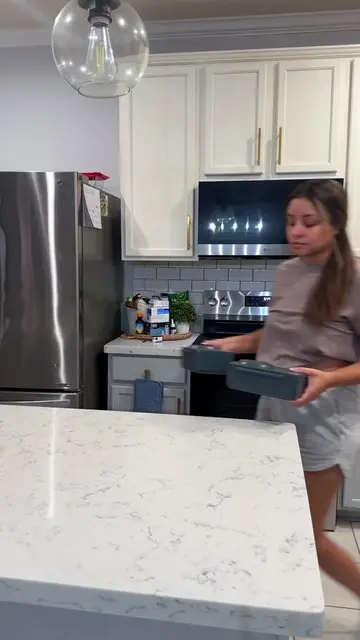
Let's pack a school lunch for my boys
@stephborbon
2.6K followers · usually 638 views a post
Views
17.8K
Likes
2.4K
Comments
39
Shares
11
Promoted product
OmieLife lunch boxes
Why it worked
The video taps into the relatable and often aspirational content of "pack with me" videos, showcasing practical organization and appealing lunch ideas for children, which resonates with parents.
Summary
The creator packs two school lunches for her sons, preparing food in an air fryer and assembling the lunches in OmieLife bento boxes. She also packs snacks, drinks, and places the lunches into backpacks.
Structure
- 1Prepare food in air fryer
- 2Assemble lunches in bento boxes
- 3Add snacks and drinks
- 4Pack lunches into backpacks
- 5Show finished lunches
Product placement
OmieLife: The video shows OmieLife lunch boxes being packed with food. This is a visible result of using the product. Removing it would change what happens in the video.
Owala: The video shows Owala water bottles being filled and placed in lunch bags. This is a visible result of using the product. Removing it would change what happens in the video.
thefrootthief: The video shows The Froot Thief snacks being placed in lunch boxes. This is a visible result of using the product. Removing it would change what happens in the video.
Welch’s Fruit Snacks: The video shows Welch's Fruit Snacks being placed in lunch boxes. This is a visible result of using the product. Removing it would change what happens in the video.
Hewlett-Packard: A Hewlett-Packard logo is visible on the Minecraft backpack. This merely appears. Removing it would not change what happens in the video.
Hewlett-Packard: A Hewlett-Packard logo is visible on the blue backpack. This merely appears. Removing it would not change what happens in the video.
Hewlett-Packard: A Hewlett-Packard logo is visible on the lunch box. This merely appears. Removing it would not change what happens in the video.
Hewlett-Packard: A Hewlett-Packard logo is visible on the other lunch box. This merely appears. Removing it would not change what happens in the video.
Original caption
Packing my boys lunch & snacks brings me so much joy 🍊🦖🍇✨👌🏼 @OmieLife @Owala @thefrootthief @Welch’s Fruit Snacks #lunchboxideasforkids #schoollunchideas #schoollunchbox #packschoollunchwithme #back2school
More from @stephborbon
More breakout videos from this creator.