Loading video…
All breakouts
25.6Talking HeadOther hookLifestyle
Hook
Xteink
@jeankyliestudio
2.3K followers · usually 1.4K views a post
Views
34.0K
Likes
2.1K
Comments
53
Shares
198
Promoted product
XTEINK e-readers
Why it worked
The video effectively showcases the differences between three similar products, providing a clear comparison that helps viewers make an informed decision. The demonstration of practical use cases, like attaching to a phone case, adds value and relatability.
Summary
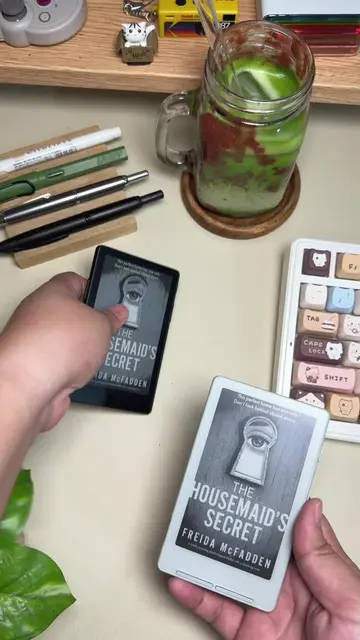
The video compares three XTEINK e-readers: the X3, X4, and X4 Pro. It highlights differences in size, charging methods, screen clarity, button placement, and front light features. The creator also demonstrates how the e-readers magnetically attach to an iPhone 15 Pro case, with the X3 fitting best.
Structure
- 1Introduction of XTEINK e-readers
- 2Comparison of X3, X4, and X4 Pro sizes
- 3Discussion of charging ports and screen clarity
- 4Demonstration of button placement and front light features
- 5
Original caption
XTEINK kindly sent me the X3 to compare with my X4 and X4 Pro. 🤍 X3 vs X4 vs X4 Pro — which one would you choose? 👀 For me, I’d probably pick the X4 Pro, mainly because of the front light. I love being able to read without worrying about the lighting around me. The X3 really surprised me too. The screen is super crisp and has that paper-like feel, especially for such a tiny e-reader. Just sharing my honest opinion and experience with all three. Links in my bio ✨ #XTEINKX3 #XTEINKX4 #XTEINKX4Pro #XTEINK #ereader @XTEINK @xteink @Jean Kylie Siapno Cacas @Jean Kylie Siapno Cacas @Jean Kylie Siapno Cacas
More from @jeankyliestudio
More breakout videos from this creator.