Loading video…
All breakouts
282Talking HeadOther hookLifestyle
Hook
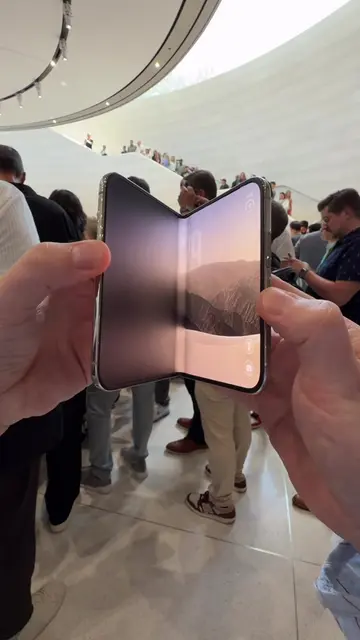
The new iPhone Duo
@brad
704.3K followers · usually 62.5K views a post
Views
16.4M
Likes
465.2K
Comments
6.9K
Shares
139.2K
Why it worked
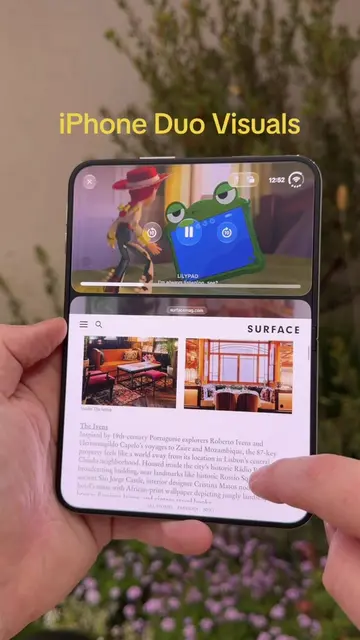
The video likely performed well due to its focus on a novel and visually interesting product concept (a foldable iPhone) that taps into consumer curiosity about future Apple products. The demonstration of practical use cases on the dual screens, combined with the sleek presentation, would have captured attention.
Summary
The video showcases a conceptual "iPhone Duo" that folds open like a book, featuring dual displays. It demonstrates various apps and functionalities, including messaging, maps, photo viewing, and video playback, highlighting the device's multitasking capabilities and unique form factor.
Structure
- 1Introduction of the iPhone Duo
- 2Demonstration of folding mechanism
- 3App usage on dual screens (messaging, maps, photos)
- 4Video playback on dual screens
- 5Camera features and preview options
- 6Showcase of different color variants
Product placement
Apple: ACTS - it is the device being demonstrated, its interface is operated, and its features are shown. Removing it would change what happens in the video.
iPhone Duo: ACTS - it is the device being demonstrated, its interface is operated, and its features are shown. Removing it would change what happens in the video.
iPhone: ACTS - it is the device being demonstrated, its interface is operated, and its features are shown. Removing it would change what happens in the video.
Apple event: APPEARS - it is a hashtag and context for the product launch, but not something that acts or is operated. Removing it would not change what happens in the video.
Netflix: ACTS - it is an app being used to play a video. Removing it would change what happens in the video.
Apple Maps: ACTS - it is an app being used to show a map. Removing it would change what happens in the video.
Stocks app: ACTS - it is an app being shown on the home screen. Removing it would not change what happens in the video.
Find My app: ACTS - it is an app being shown on the home screen. Removing it would not change what happens in the video.
Podcasts app: ACTS - it is an app being shown on the home screen. Removing it would not change what happens in the video.
Fitness app: ACTS - it is an app being shown on the home screen. Removing it would not change what happens in the video.
Files app: ACTS - it is an app being shown on the home screen. Removing it would not change what happens in the video.
Preview app: ACTS - it is an app being shown on the home screen. Removing it would not change what happens in the video.
Utilities app: ACTS - it is an app being shown on the home screen. Removing it would not change what happens in the video.
Translate app: ACTS - it is an app being shown on the home screen. Removing it would not change what happens in the video.
Freeform app: ACTS - it is an app being shown on the home screen. Removing it would not change what happens in the video.
Numbers app: ACTS - it is an app being shown on the home screen. Removing it would not change what happens in the video.
Pages app: ACTS - it is an app being shown on the home screen. Removing it would not change what happens in the video.
Keynote app: ACTS - it is an app being shown on the home screen. Removing it would not change what happens in the video.
News app: ACTS - it is an app being shown on the home screen. Removing it would not change what happens in the video.
ZenslessZoneZ app: ACTS - it is an app being shown on the home screen. Removing it would not change what happens in the video.
Ungodly app: ACTS - it is an app being shown on the home screen. Removing it would not change what happens in the video.
Original caption
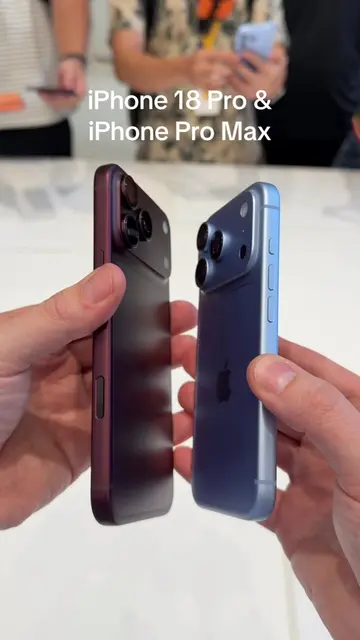
The new iPhone Duo!!! 🤯 It has two STUNNING displays, Nano-texture finish, 48MP Fusion Main camera with 2x Telephoto and 48MP Fusion Ultra Wide camera and sooooo much more! There are so many ways to use it and I can’t wait to play around with it! #iphoneduo #appleevent #apple #iphone
More from @brad
More breakout videos from this creator.