Loading video…
All breakouts
13.1Talking HeadResult / Flex hookConsumer Apps
Hook
IT FIXED IT!!
@lemmon9355
12.0K followers · usually 21.7K views a post
Views
284.1K
Likes
7.7K
Comments
339
Shares
217
Why it worked
The video likely resonated with viewers experiencing similar software update issues or those interested in iPhone customization and app organization. The "IT FIXED IT!!" text provides a sense of relief and resolution.
Summary
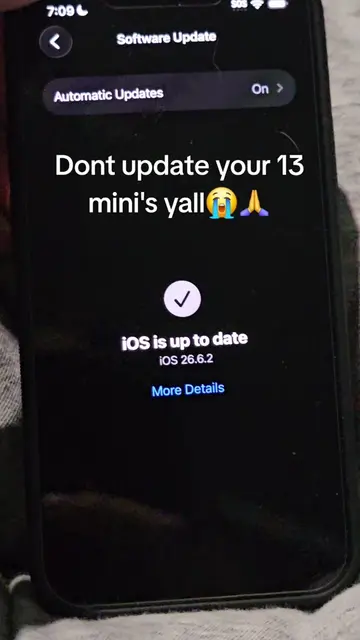
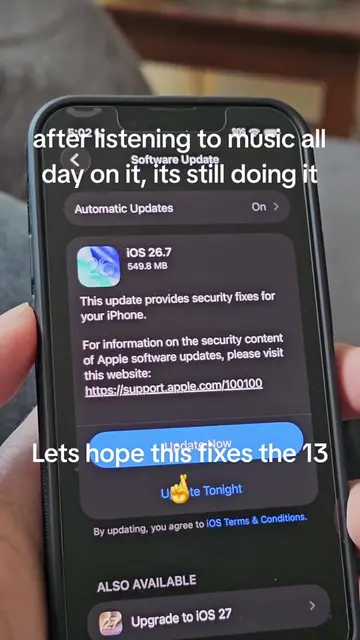
The video shows an iPhone completing a software update to iOS 26.7. The user then navigates through the home screen, showcasing various apps and widgets before opening the camera app.
Structure
- 1Software update complete screen
- 2Navigating through home screen apps
- 3Opening camera app
Product placement
iPhone (phone): acts - the device is operated to show software updates and the home screen. Removing it would change what happens in the video.
iOS (operating system): acts - the operating system is updated and displayed on the iPhone. Removing it would change what happens in the video.
DJI Mini (app): appears - an app icon is visible on the home screen. Removing it would not change what happens in the video.
Photos (app): appears - an app icon is visible on the home screen. Removing it would not change what happens in the video.
App Store (app): appears - an app icon is visible on the home screen. Removing it would not change what happens in the video.
Pinterest (app): appears - an app icon is visible on the home screen. Removing it would not change what happens in the video.
Wallet (app): appears - an app icon is visible on the home screen. Removing it would not change what happens in the video.
Settings (app): appears - an app icon is visible on the home screen. Removing it would not change what happens in the video.
Instagram (app): appears - an app icon is visible on the home screen. Removing it would not change what happens in the video.
Snapchat (app): appears - an app icon is visible on the home screen. Removing it would not change what happens in the video.
Spotify (app): appears - an app icon is visible on the home screen. Removing it would not change what happens in the video.
TikTok (app): appears - an app icon is visible on the home screen. Removing it would not change what happens in the video.
Discord (app): appears - an app icon is visible on the home screen. Removing it would not change what happens in the video.
ChatGPT (app): appears - an app icon is visible on the home screen. Removing it would not change what happens in the video.
YouTube (app): appears - an app icon is visible on the home screen. Removing it would not change what happens in the video.
Mail (app): appears - an app icon is visible on the home screen. Removing it would not change what happens in the video.
Mydate (app): appears - an app icon is visible on the home screen. Removing it would not change what happens in the video.
Blackmagic Cam (app): appears - an app icon is visible on the home screen. Removing it would not change what happens in the video.
Maps (app): appears - an app icon is visible on the home screen. Removing it would not change what happens in the video.
Apple TV (app): appears - an app icon is visible on the home screen. Removing it would not change what happens in the video.
Passwords (app): appears - an app icon is visible on the home screen. Removing it would not change what happens in the video.
CheekyOut (app): appears - an app icon is visible on the home screen. Removing it would not change what happens in the video.
Fitness (app): appears - an app icon is visible on the home screen. Removing it would not change what happens in the video.
Notes (app): appears - an app icon is visible on the home screen. Removing it would not change what happens in the video.
Files (app): appears - an app icon is visible on the home screen. Removing it would not change what happens in the video.
Podcasts (app): appears - an app icon is visible on the home screen. Removing it would not change what happens in the video.
Original caption
ios 26.7🙏 #iphone #iphone13mini #techtok #iphone13 #ios26
More from @lemmon9355
More breakout videos from this creator.