Hook
More breakout videos from this creator.
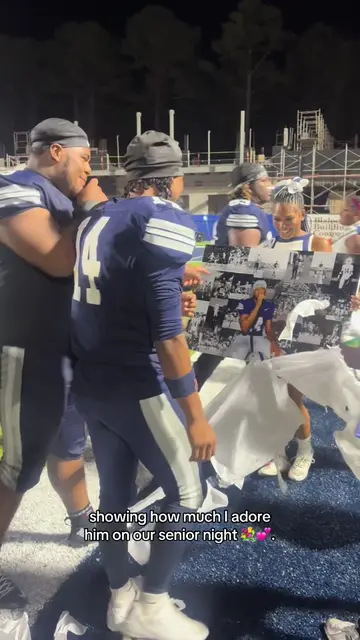
Okay, so here is the the tutorial to these viral video to make this right here that everybody wanted to see. First you're going to start off by changing your regular photos to black and white. You can go there in your photos then go to filters then you're going to scroll down till you see mono. You can use the other ones like those but I use mono. Then you're going to open Canva and then you're going to go to the corner, press create and then custom size and you're going to make sure you put in your size in inches. I had a 24 by 36 that if you that's if you wanted that big but make sure it's the size of your canvas. Once you do that it's going to be in portrait but you're going to want it in landscape so you're just going to go to resize then customize and you're just going to flip the numbers. I had already had it saved but this is just going to make it in landscape so it's long ways and not up and down like that. You're going to want like that. Once you have it like that you're going to go to camera roll or you can go to upload and then you're just going to upload all of your like black and white photos one by one and size them to however you want. Once you have them placed it's going to look like that and I left a blank spot because he's going to cover it up. Next you're going to go back to your camera roll and find the regular photo that you're going to use of the big picture and just crop out the whole background that everybody else. I personally use ChatGPT to crop out the background. You're literally just going to say crop out the background and make it a PNG. So it'll make it clear like this. See how the background is clear? That's what you want. Then you're going to go back to Canva and just going to upload the crop PNG photo into the thing and basically make it as big as you want and cover up the blank spots that you have and it'll look like that. Now for the printing part you're just going to go to CVS and go to photo then you're going to go to posters. When you make it to posters you're going to go to full photo posters and you're going to make sure it's the size of your Canva canvas. Oh my god. Anyways once you make it the size of your canvas you're going to pick satin and not repositionable but you can do repositionable. Then you're going to make sure you put it on landscape not portrait so it's long ways and then press create now. Oh and make sure you save your photo from Canva because once you get here you're going to go to your photos and you're just basically going to upload the entire photo that you made on Canva into here. Don't you do that it should pop up and look just like that and basically you just have to add it to your cart and go get it printed out and pick it up.