Loading video…
All breakouts
200App DemoHow-To hookGames
Hook
How to play Engine maker or V8 simulator
@dominator.tornado.kr
4.0K followers · usually 770 views a post
Views
147.3K
Likes
4.5K
Comments
200
Shares
359
Promoted product
Engine Maker
Why it worked
The video provides a clear, actionable tutorial for a niche interest (engine simulation) using a free, accessible tool, making the content highly shareable for car enthusiasts.
Summary
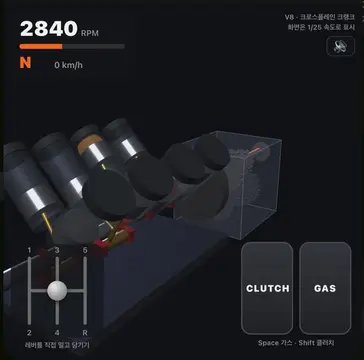
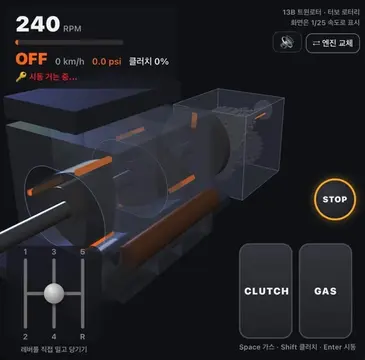
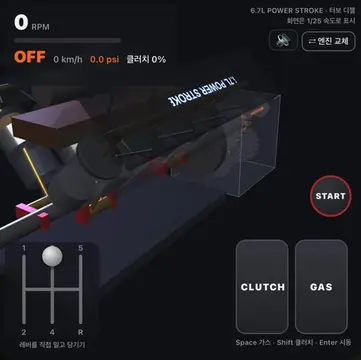
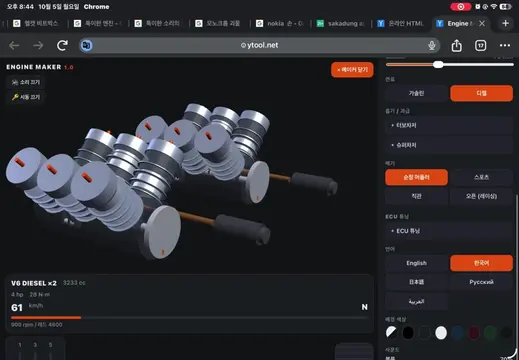
The creator provides a tutorial on how to run an engine simulator by copying code into the W3Schools HTML editor. The video demonstrates the steps to load and interact with the Engine Maker simulator.
Structure
- 1Introduction to the simulator
- 2Navigating to W3Schools HTML editor
- 3Copying the provided code
- 4Pasting the code into the editor
- 5Running and interacting with the simulator
Product placement
W3Schools: (a) ACTS — it is used as the platform to run the code. Removing it would change the video as it is the specific tool demonstrated for running the simulator. Engine Maker: (a) ACTS — it is the simulator being operated and demonstrated. Removing it would change the video as it is the subject of the tutorial.
On-screen text
How to play Engine maker or V8 simulator
First, Search for W3Schools HTML on google and go to this site
It this screen appeared, it is a success
Now, select one of the links I posted in the description, paste it in to Google, and copy all the code inside
Now, return to W3School and paste all the copied code (please remove the original code.)
Now press the RUN button and enjoy my work!
Original caption
Engine maker 1.0 https://docs.google.com/document/d/1-sAwTxe8OQhmrKh1OpZmt1pmyLYXKv14srRH1WGZlrU/edit?usp=drivesdk V8 simulator https://docs.google.com/document/d/1-sAwTxe8OQhmrKh1OpZmt1pmyLYXKv14srRH1WGZlrU/edit?usp=drivesdk #engine #car
More from @dominator.tornado.kr
More breakout videos from this creator.