Loading video…
All breakouts
20.2Talking HeadProblem Callout hookAI Tools
Hook
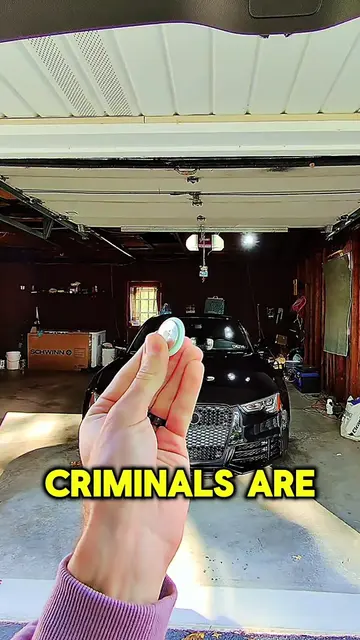
The real issue is the 37 apps that launch each and every time you sign in to Windows.
@eurothrottle
370.8K followers · usually 12.7K views a post
Views
369.1K
Likes
13.4K
Comments
187
Shares
1.6K
Why it worked
The video provides high-utility, actionable technical advice that solves a common pain point, while the branding in the background establishes authority without distracting from the content.
Summary
The creator explains how to identify and disable hidden startup applications on a Windows PC using a PowerShell command and the Autoruns tool. The video is framed as a tech tutorial while promoting the creator's cybersecurity research brand, Team Tech Haus.
Structure
- 1Identify the problem of slow Windows boot times
- 2Provide a PowerShell command to list startup apps
- 3Explain how to run the command as an administrator
- 4Contrast the command with the Windows Task Manager
Original caption
Your PC Is Not Slow. It’s Just Bloated. Fix It! Is your Windows PC slow, laggy, or taking forever to boot? Before you reinstall Windows or buy new hardware, hunt down the HIDDEN startup apps that launch every time your PC turns on! I show you how to list every single startup entry, including stuff Task Manager doesn’t show you, using one simple PowerShell command: 👉 Get-CimInstance Win32_StartupCommand | Select-Object Name, Command, Location | Sort-Object Name ⚡️ What this does: This safely enumerates all startup programs from the registry and startup folders so you can see EVERYTHING that launches with Windows 10/11. 🤔 Is it safe? Yes, it’s read-only. It doesn’t change anything. Use it as a visibility + audit tool, then go disable the junk using Task Manager or better tools like Autoruns. 💡 Why this matters: Hidden startup bloat = long boot times, random background processes, and wasted performance. Clean up your startup and your PC instantly feels lighter, faster, and more responsive. 🧠 Join the TEAM TECH HAUS Discord community for more real-world PC fixes, cybersecurity, and AI tech: 👉 Discord.gg/TechHaus 🤖 Into AI jailbreaking and pushing models to their limits? Check out my site: UNJAIL.ai for my latest AI jailbreak research, techniques, tools, and experiments! #pcrepair #TechTips #techtok #howto #windows
More from @eurothrottle
More breakout videos from this creator.