Loading video…
All breakouts
22.1App DemoOther hookAI Tools
Hook
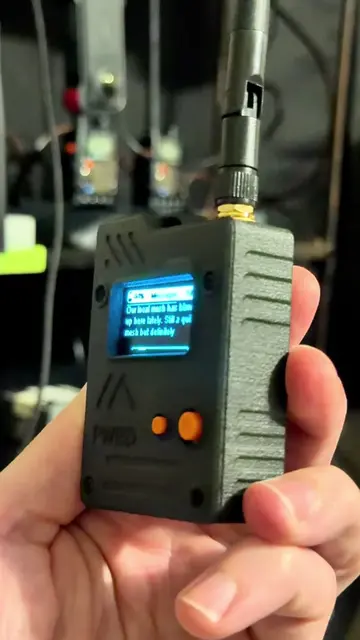
I got the WiFi Pineapple Pager by Hak5, but this thing looks pretty sweet.
@eurothrottle
370.8K followers · usually 12.7K views a post
Views
396.4K
Likes
6.4K
Comments
78
Shares
313
Why it worked
The video provides high-utility, step-by-step technical instructions for a niche hardware product, which builds trust and authority while showcasing the device's capabilities.
Summary
The creator demonstrates how to update the firmware on a new WiFi Pineapple Pager device. They walk through the process of downloading the file from the manufacturer's website and installing it via the device's web interface.
Structure
- 1Unboxing the device
- 2Downloading firmware from the manufacturer portal
- 3Connecting the device to a computer
- 4Uploading and installing the firmware
- 5
Original caption
Just Got a Wi-Fi Pineapple Pager? Do THIS First! 🍍 Before you deploy it or rely on alerts, the first thing you should do is update the firmware! In this video, I walk through how to download and install the latest Wi-Fi Pineapple Pager firmware, ensuring your device is running with the newest features, bug fixes, performance improvements, and security updates. Running outdated firmware can mean missed detections, instability, or limited functionality, especially when monitoring rogue access points and Wi-Fi threats. This is a must-do step for anyone getting started with: • Wi-Fi security monitoring • Ethical hacking & defensive testing • Red team / blue team workflows • Portable wireless security tools If you’re serious about Wi-Fi security, hacker hardware, and real-world infosec, join my community, we break this stuff down properly and stay ahead of changes. 👉 Discord.gg/TechHaus #cybersecurity #TechTips #techtok #cooltech #TechGadgets
More from @eurothrottle
More breakout videos from this creator.