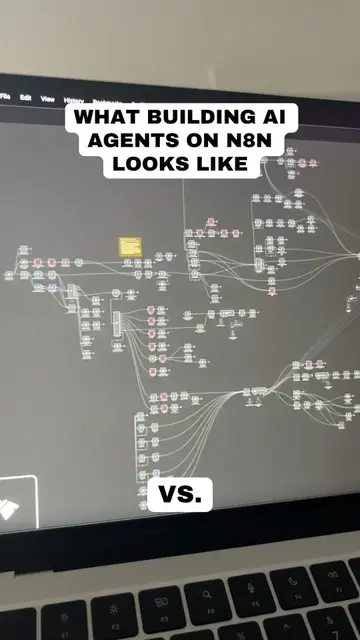
On-screen text
How to Build AI Agents in 6 Simple Steps (2026 Guide)
@aiwithleila
What is an AI Agent?
It's not just an automated workflow rebranded as an "agent." A real AI agent understands its environment, knows what tools it needs, makes decisions on its own, self-corrects when it hits an issue, and executes tasks on your behalf.
Think of it as a junior employee on your team but one that's only as good as the person who builds it.
@aiwithleila
2 Types of Agents
There are two types of agents.
• Task-specific agents do one thing well like scraping competitor blogs every morning and sending you a Slack summary.
• Multi-agent systems have multiple agents working together, each handling a different part of a larger workflow. One researches, one writes, one edits. Start with a single task-specific agent first.
@aiwithleila
3 Pillars of Every AI Agent
Every AI agent is built on 3 pillars. If you get these wrong, your agent won't work well - no matter what platform you use.
• Data: the information your agent draws from. This could be your analytics, CRM, blog content, keyword data, or anything it needs to make informed decisions.
• Tools: the apps your agent can actually use to take action. Think Slack, Google Sheets, SEO tools, email. These are the agent's hands
• Skills: the instructions and knowledge you give it. This is the agent's brain. The more specific you are, the better the output. Think of your agent as a robot: data is what it reads, tools are what it touches, and skills are how it thinks.
@aiwithleila
Step 1: Define Your Agent's Goal
Pick one specific task. For example: a GTM content agent that takes blog URLs, audits them for SEO gaps, runs keyword research from a brief, and delivers optimization recommendations - all without you manually reviewing each page.
Map the goal back to your 3 pillars:
1. what data does it need?
2. what tools should it access?
3. and what instructions will guide it?
@aiwithleila
Step 2: Choose Your AI Model
Not all models are equal. Claude is great at writing, coding, and following detailed instructions. GPT is strong for deep research and planning. Gemini excels at web research and the Google ecosystem. Pick based on the task - not what's trending.
Consider: what's the primary task? How long are the inputs? How important is instruction-following? And what's the cost if it's running hundreds of tasks a day?
@aiwithleila
Step 3: Choose Your Platform
Two main routes:
• No-code cloud-hosted gives you a visual interface, built-in integrations, enterprise security, and easy team sharing.
• Coded Self-hosted gives you full customization but you own the security, maintenance, and every API change.
I use Gumloop - a no-code AI agent platform that lets you connect AI models to your existing tools without writing code. It separates things into Agents, Skills, and Workflows, which maps directly to how I think about building agents.
@aiwithleila
Step 4: Connect Your Tools and Data Sources
In Gumloop, this is done in the right sidebar of your agent's dashboard.
For the GTM content agent, I connected Firecrawl to scrape blog content, Semrush for keyword research, Google Docs for drafts, Gmail for summaries, Google Sheets for structured output, and Slack to trigger the agent directly from a channel.
Connecting each tool is as easy as toggling it on and authenticating your account. No API keys, no code.
@aiwithleila
Step 5: Write Your Agent's Instructions
In Gumloop, there are two layers:
• Core instructions define what the agent is, who it's for, and how it approaches work.
• Skills are folders of specialized knowledge the agent pulls in on demand - so you're not cramming everything into one giant prompt. Your agents can create and improve their own skills over time. Every time you correct the agent, it documents that learning. So it gets better without you manually rewriting anything.
Agent Preferences
Recommended (Claude 4.6 Sonnet)
What does this Agent do?
For most of us content marketers, optimizing content to support campaigns, sales collateral, or while entering a new market geography is where we face the real challenges.
This agent helps you optimize your content based on these very specific needs, while you can focus on ideating and developing fresh content right off the bat.
How does it work?
@aiwithleila
Agent Tasks: Running on Autopilot
You can also set up Agent Tasks so your agent runs on autopilot. Scheduled tasks like "run every Monday at 8am" or trigger-based tasks like "run every time a new email comes in."
For the GTM agent, I set a weekly task to audit my top blog posts every Monday morning. The recommendations just show up in my inbox without me opening the platform.
Tasks
Scheduled Task
Schedule a recurring scheduled task, or a one-time task in the future.
Trigger Based Task
Trigger an action when a specific event occurs in an app.
@aiwithleila
Step 6: Test and Iterate
Review every output carefully - agents can hallucinate data or give recommendations that don't fit your situation.
If the output misses the mark:
• swap the AI model in Gumloop's Agent Preferences panel
• tighten your instructions
• check that it actually used the tools you connected
• or improve your brief with more context
Let the agent document its mistakes as skills so it learns over time. The best agents aren't perfect on run one. They get good over weeks of testing and refining.
@aiwithleila
4 Lessons After 14 Months of Building AI Agents
1. Stop over-writing instructions: LLMs are smart enough to figure out tool usage on their own. Give your agent the right tools, a clear goal, and let it figure out the execution.
2. Not everything needs automation: save it for tasks that are daily, repeatable, and teachable to an intern.
3. The model matters more than you think: switching models can mean redoing all your iteration work.
4. Don't automate what you can't articulate: if you can't do the task well yourself, you won't know if the agent's output is good or bad.
@aiwithleila
Follow these 6 steps and you'll be ahead of 90% of people trying to build agents right now. Save for later.
@aiwithleila
Follow for more
@aiwithleila