Loading video…
All breakouts
25.4App DemoHow-To hookEducation
Hook
HOW TO CREATE A REPO + UPLOAD COMPLETED PROJECT GitHub
@leanmuzveba
5.9K followers · usually 1.3K views a post
Views
25.2K
Likes
953
Comments
41
Shares
89
Why it worked
The video provides clear, actionable, and high-demand technical instructions for a common task, making it highly valuable for beginners in software development.
Summary
This video provides a step-by-step tutorial on how to create a new repository on GitHub and upload a completed coding project. It covers the process from creating the repository to dragging and dropping files for the initial commit.
Structure
- 1Introduction to the tutorial
- 2Creating a new repository on GitHub
- 3Configuring repository settings
- 4Navigating to the new repository
- 5Uploading project files
- 6Committing changes to the repository
On-screen text
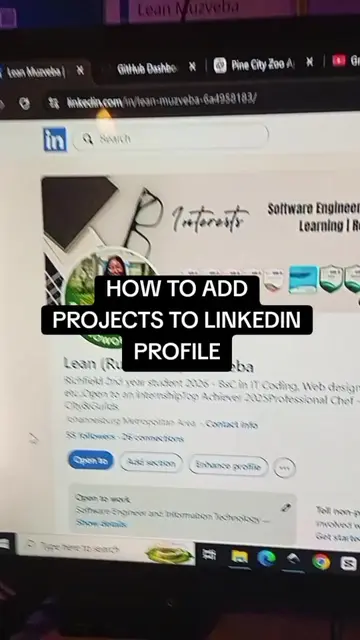
HOW TO CREATE A REPO + UPLOAD COMPLETED PROJECT
GitHub
Transcript
Hi guys, I just want to show you how to add your projects that you're coding on GitHub. So the first thing you do is obviously you need to have a GitHub account and once you have that, you go to your dashboard and login, right? Then you go to where it says repositories, that's the first thing you click. After you click on that, you go to new repository, right? And then you give it a name, whatever name you want to give it, for example, Calculator App, but I already have that, so. And then you give it a description, just maybe a sentence describing what it's about. Choose visibility, I suggest you make it public if you're going to also put it on your LinkedIn. And then you add a README, which is kind of a document that is automatically created if you put on, it is automatically created with the summary of what your project is about and you can edit it later when you're done. For the git ignore, sometimes I put no git ignore, but I'm sure there's one of these that you can take, I'll check that later. And then when you're done, you just say create repository. That's literally the first thing you have to do. After you've created a repository, now you have to go, it will take you to where they are, right? And when you go there, you will click on the repository that you created, so for example, this one for me. And then on it, you are going to say, you're going to find it empty, only the README file is the one you'll be able to see, because it's the initial commit, right? And then the next thing you do is add file, upload files. And then when you now get there, make sure that you have your files close by, right? So for example, your index.html file, your main.js or script.js and your style.css. Just make sure you have them, I'm going to quickly get to mine so that I can show you how it would look like. So if I open this, right, these are the files that I have, right? So and all the other web pages, so I have index.html and all the other pages and then your style.css and if it has a JavaScript file, your main.js. Then you just take this, you drag it and you just put it here. Once it's done uploading, once it's done uploading, you'll click a button that says commit changes. It's right at the bottom, commit changes. And then once it's done, that's basically it. You now have your project on your GitHub, but if you are going to make some more changes, but this is like for a project that is done, like you're basically done, you're not going to code anymore. But if you are going to do, if you are going to make more changes and stuff, then you're going to have to link it to your VS Code, but that's a different thing. So yeah.
Original caption
HOW TO ADD PROJECTS TO GITHUB #designengineer #buildinpublic #womenintech #softwareengineer #creativecode
More from @leanmuzveba
More breakout videos from this creator.