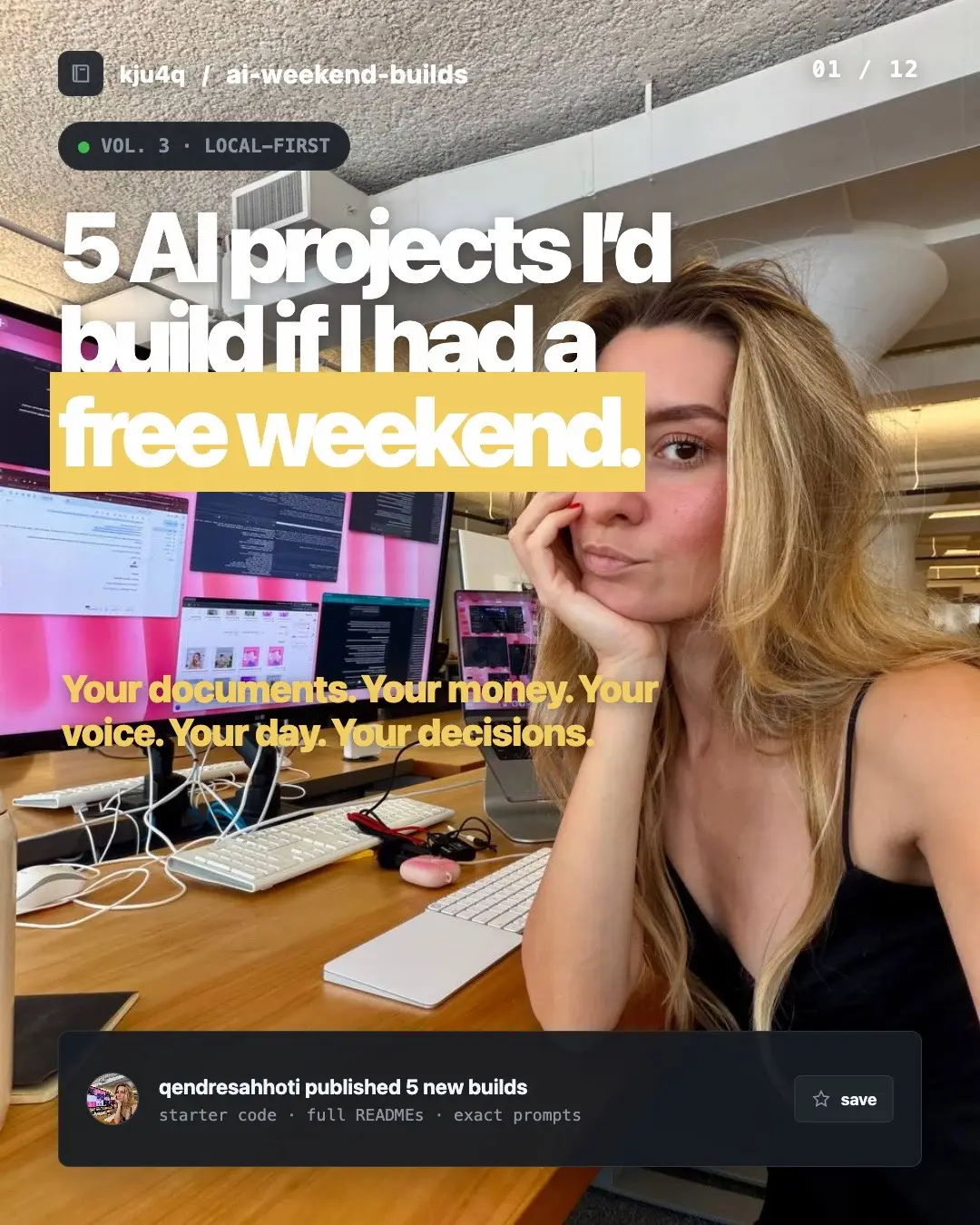
The video offers tangible, weekend-sized AI projects with complete starter code and instructions, appealing to developers looking for practical applications. The "comment BUILD" call to action creates engagement and a direct channel for lead generation.
Summary
The video presents five AI projects that can be built over a weekend, ranging from diagram generation and web research to personal chatbots, multi-agent research systems, and autonomous coding agents. Each project includes a README, starter code, and prompts, all available in a single GitHub repository.
Structure
1Introduction to 5 AI weekend projects
2Project 1: Excalidraw MCP Diagram Agent
3Project 2: One-Command Web Researcher
4Project 3: Personal RAG Assistant with Memory
5Project 4: Multi-Agent Research Crew
6Project 5: Autonomous Coding Workflow Agent
7Call to action to comment 'BUILD' for the repository link
Original caption
If I had a free weekend to build, these are the 5 AI projects I'd tackle. 1. Excalidraw MCP agent 2. Web researcher agent 3. Personal RAG assistant 4. Multi-agent research crew Autonomous coding agent All five are in one repo with READMEs and starter code you can extend. Comment BUILD and I'll DM you the link 🙌 #ai #Tech #developer #claudeai #study
More from @qbuilder
More breakout videos from this creator.
Product placement
The video showcases five AI projects with accompanying code and instructions, presented as a repository. The projects include an Excalidraw MCP Diagram Agent, a One-Command Web Researcher, a Personal RAG Assistant with Memory, a Multi-Agent Research Crew, and an Autonomous Coding Workflow Agent. The creator offers to DM the repository link to viewers who comment 'BUILD'.
Call to action
Comment BUILD and I'll DM you the link
On-screen text
5 projects
AI Weekend Builds
01 — Excalidraw MCP Diagram Agent
Difficulty: Easy Time: 1-3 hours What it does: Describe any system, work diagram in Excalidraw automatically.
Why build this
What you need
Claude Code installed
Excalidraw MCP server
Node.js 18+
Setup (5 minutes)
1. Install the Excalidraw MCP server
npm install -g @anthropic-ai/mcp-server-excalidraw
2. Add it to Claude Code
claude mcp add excalidraw --npx @anthropic-ai/mcp-server-excalidraw
3. Verify it's connected
Open Claude Code and run:
/mcp
You should see excalidraw listed as a connected server.
Try it
Starter prompt 1: Simple workflow
Starter prompt 2: System architecture
Starter prompt 3: Agent workflow
Go deeper
What you'll learn
02 — One-Command Web Researcher
Difficulty: Easy Time: 2-4 hours What it does: Type a topic and it scrapes, cleans, and summarizes structured research report. One command, full report.
Why build this
What you need
Claude Code installed
Firecrawl CLI (for web scraping, install as CLI not MCP to save context)
A Firecrawl API key (free tier available at firecrawl.dev)
Setup (10 minutes)
1. Install Firecrawl CLI
npm install -g firecrawl
2. Set your API key
export FIRECRAWL_API_KEY=your_key_here
Add it to your .bashrc or .zshrc so it persists.
3. Create your research skill file
Create a file called research-skill.md in your project:
# Research Skill
When I say "research [topic]", follow this process:
1. Use Firecrawl to scrape the top 5-10 relevant URLs for the topic
2. Clean and extract the key content from each page
3. Organize findings into sections:
- Key facts and data points
- Different perspectives or approaches
- What's missing or contradictory
- Sources with links
4. Output as a clean markdown report saved to /research/[topic].md
5. End with 3 questions worth investigating further
Always cite sources. Always flag when information conflicts.
Try it
Starter prompt 1: Competitive research
Starter prompt 2: Topic deep dive
03 — Personal RAG Assistant with Memory
Difficulty: Medium Time: 5-8 hours What it does: A chatbot that knows your documents. Upon them. It remembers past conversations so context builds over time.
Why build this
You have knowledge scattered everywhere: PDFs, notes, bookmarks, docs. A RAG assistant language. The memory layer means it gets better the more you use it.
What you need
Python 3.10+
LangChain
ChromaDB (local vector database, no account needed)
An Anthropic API key or OpenAI API key
Your documents (PDFs, markdown files, text files)
Setup (15 minutes)
1. Create your project
mkdir rag-assistant && cd rag-assistant
python -m venv venv
source venv/bin/activate
2. Install dependencies
pip install langchain langchain-anthropic langchain-community chromadb pypdf
3. Set your API key
export ANTHROPIC_API_KEY=your_key_here
4. Create the starter script
Save this as rag.py:
04 — Multi-Agent Research Crew
Difficulty: Medium Time: 6-9 hours What it does: A team of AI agents that work together, synthesizes everything into a final report. You give it a question, the crew handles the rest.
Why build this
Single-agent workflows hit a ceiling. When you need deep research, one agent trying to do everything is too slow. A crew of specialized agents, each with one job, produces dramatically better output.
What you need
Python 3.10+
CrewAI (multi-agent framework)
An Anthropic API key or OpenAI API key
Tavily API key (for web search, free tier available)
Setup (15 minutes)
1. Create your project
mkdir research-crew && cd research-crew
python -m venv venv
source venv/bin/activate
2. Install dependencies
pip install crewai crewai-tools tavily-python langchain-anthropic
3. Set your API keys
export ANTHROPIC_API_KEY=your_key_here
export TAVILY_API_KEY=your_key_here
4. Create the crew
Save this as crew.py:
05 — Autonomous Coding Workflow Agent
Difficulty: Advanced Time: Full day What it does: An agent that reads a GitHub issue, understands and opens a pull request. You describe the problem, the agent ships the solution.
Why build this
This is what the top engineering teams are already doing with Claude Code. Instead of manually reviewing code, and opening PRs, you point an agent at an issue and it handles the entire workflow. This project actually works under the hood.
What you need
Python 3.10+
Claude Code installed
GitHub CLI (gh) installed and authenticated
A GitHub repo to test with (create a fresh one for experiments)
Anthropic API key
Setup (20 minutes)
1. Create your project
mkdir coding-agent && cd coding-agent
python -m venv venv
source venv/bin/activate
2. Install dependencies
pip install anthropic pygithub
3. Authenticate GitHub CLI
gh auth login
4. Set your API key
export ANTHROPIC_API_KEY=your_key_here
5. Create the agent
Save this as agent.py:
Files
main
01-excalidraw-mcp-agent
README.md
02-web-researcher
README.md
03-personal-rag
README.md
rag.py
04-multi-agent
README.md
crew.py
05-auto-coding
README.md
agent.py
.gitignore
README.md
Build
Build
which
this weekend
Transcript
5 projects to build this weekend. 5 things I would build if I had a free weekend. AI Weekend Builds. 5 AI projects you can build in a weekend. Each one has a full README, starter code, and the exact prompt sorted by difficulty. Pick one. Build it. Ship it. The projects. 01 Excalidraw MCP Diagram Agent. Difficulty: Easy. Time: 1-3 hours. What it does: Describe any system, work diagram in Excalidraw automatically. Why build this? Every builder needs to visualize systems. Instead of manually dragging boxes, it does it for you. The diagram is fully editable so you can tweak it after. What you need. Claude Code installed. Excalidraw MCP server. Node.js 18+. Setup (5 minutes). 1. Install the Excalidraw MCP server. npm install -g @anthropic-ai/mcp-server-excalidraw. 2. Add it to Claude Code. claude mcp add excalidraw --npx @anthropic-ai/mcp-server-excalidraw. 3. Verify it's connected. Open Claude Code and run: /mcp. You should see excalidraw listed as a connected server. Try it. Open Claude Code and paste any of these prompts. Starter prompt 1: Simple workflow. Create an Excalidraw diagram showing a content creation pipeline. 1. Idea capture (from phone, Twitter, conversations). 2. Research phase (Grok scans X, Claude analyzes). 3. Script writing (Claude drafts, I refine). 4. Recording and editing. 5. Distribution across 6 platforms. Use arrows between each step. Color code: research in blue, create in green. Starter prompt 2: System architecture. Create an Excalidraw diagram showing a RAG (Retrieval Augmented Generation) system. - User uploads PDFs and notes. - Documents get chunked and embedded. - Embeddings stored in a vector database. - User asks a question. - System retrieves relevant chunks. - LLM generates answer using retrieved context. Show the data flow with arrows. Group related components together. Starter prompt 3: Agent workflow. Create an Excalidraw diagram showing a multi-agent research system. - Orchestrator agent receives a research question. - Spawns 3 sub-agents: web researcher, academic paper finder, social media analyst. - Each sub-agent returns findings. - Synthesizer agent combines all findings into a report. - Report goes to the user. Show the agents as separate boxes with arrows showing communication. Go deeper. Once you have the basics working: Create a CLAUDE.md file with your preferred diagramming tool. Build a skill file that generates diagrams in your project. Connect it to your product architecture workflow. What you'll learn. How MCP servers work. How to use AI for visual thinking, not just text. How to set up reusable diagram workflow. This one takes about three hours. The second one is a one-command web researcher. You type a topic and it scrapes, cleans, and summarizes structured research report. One command, full report. Why build this? Every project starts with research. Instead of opening 15 tabs, skimming articles, and copy-pasting, you get a clean, structured report with sources. What you need. Claude Code installed. Firecrawl CLI (for web scraping, install as CLI not MCP to save context). A Firecrawl API key (free tier available at firecrawl.dev). Setup (10 minutes). 1. Install Firecrawl CLI. npm install -g firecrawl. 2. Set your API key. export FIRECRAWL_API_KEY=your_key_here. Add it to your .bashrc or .zshrc so it persists. 3. Create your research skill file. Create a file called research-skill.md in your project. # Research Skill. When I say "research [topic]", follow this process: 1. Use Firecrawl to scrape the top 5-10 relevant URLs for the topic. 2. Clean and extract the key content from each page. 3. Organize findings into sections: - Key facts and data points. - Different perspectives or approaches. - What's missing or contradictory. - Sources with links. 4. Output as a clean markdown report saved to /research/[topic].md. 5. End with 3 questions worth investigating further. Always cite sources. Always flag when information conflicts. Try it. Starter prompt 1: Competitive research. Research the current landscape of AI coding assistants in 2026. Scrape these URLs using Firecrawl: - https://docs.anthropic.com/en/docs/claude-code - https://github.com/features/copilot - https://cursor.com - https://wind.surf.com. For each one, extract: key features, pricing, what developers say about it, and what's missing. Save the report to research/ai-coding-assistants.md. Starter prompt 2: Topic deep dive. Research "agentic workflows" - what they are, how teams are implementing them, and what tools people are using. Scrape 5 relevant articles using Firecrawl. Focus on practical implementations, not theory. Save to research/agentic-workflows.md. The third one is a personal RAG assistant with memory. You drop your PDFs, notes, and docs into a folder and then you can chat with all of them in natural language. The memory layer means it gets better the more you use it. It remembers past conversations so context builds over time. What you need. Python 3.10+. LangChain. ChromaDB (local vector database, no account needed). An Anthropic API key or OpenAI API key. Your documents (PDFs, markdown files, text files). Setup (15 minutes). 1. Create your project. mkdir rag-assistant && cd rag-assistant. python -m venv venv. source venv/bin/activate. 2. Install dependencies. pip install langchain langchain-anthropic langchain-community chromadb pypdf. 3. Set your API key. export ANTHROPIC_API_KEY=your_key_here. 4. Create the starter script. Save this as rag.py. import os. from langchain_anthropic import ChatAnthropic. from langchain_community.document_loaders import PyPDFLoader, DirectoryLoader, TextLoader. from langchain_community.text_splitter import RecursiveCharacterTextSplitter. from langchain_community.vector_stores import Chroma. from langchain_community.embeddings import HuggingFaceEmbeddings. from langchain.chains import ConversationalRetrievalChain. from langchain.memory import ConversationBufferWindowMemory. # Load documents from the docs/ folder. def load_documents(): loaders = []. docs_path = "./docs/". if not os.path.exists(docs_path): print("Created docs/ folder. Add your PDFs and text files there.") return []. # Load PDFs. for file in os.listdir(docs_path): if file.endswith(".pdf"): loaders.append(PyPDFLoader(os.path.join(docs_path, file))). elif file.endswith(".txt"): loaders.append(TextLoader(os.path.join(docs_path, file))). return loaders. This one takes about 5-8 hours, but you end up with something you can actually use every day. The fourth one is a multi-agent research crew. You get a team of AI agents that work together, synthesizing everything into a final report. You give it a question, the crew handles the rest. Why build this? Single-agent workflows hit a ceiling. When you need deep research, one agent trying to do everything is too slow. A crew of specialized agents, each with one job, produces dramatically better output. What you need. Python 3.10+. CrewAI (multi-agent framework). An Anthropic API key or OpenAI API key. Tavily API key (for web search, free tier available). Setup (15 minutes). 1. Create your project. mkdir research-crew && cd research-crew. python -m venv venv. source venv/bin/activate. 2. Install dependencies. pip install crewai crewai-tools tavily-python langchain-anthropic. 3. Set your API keys. export ANTHROPIC_API_KEY=your_key_here. export TAVILY_API_KEY=your_key_here. 4. Create the crew. Save this as crew.py. import os. from crewai import Agent, Task, Crew, Process. from crewai_tools import TavilySearchResults. # Tools. search_tool = TavilySearchResults(max_results=5). # Agent 1: The Researcher. researcher = Agent( role='Senior Research Analyst', goal='Find comprehensive, accurate information about the given topic from multiple sources', backstory='You are an expert researcher who digs deep into topics. You don't just find the first answer. You look for multiple perspectives, conflicting information, and data that others miss. You always cite your sources.', tools=[search_tool], verbose=True). # Agent 2: The Analyst. analyst = Agent( role='Strategic Analyst', goal='Analyze research findings and identify patterns, gaps, and opportunities', backstory='You identify what matters, what's noise, and what the implications are. You think in frameworks and always ask "so what does this mean?"', verbose=True). # Agent 3: The Writer. writer = Agent( role='Report Writer', goal='Create a clear, structured, actionable report from the analysis', backstory='You turn complex analysis into clear, readable reports. You write for busy people who need to make decisions. Every section has a clear takeaway. No fluff. No filler.', verbose=True). def run_research(topic): research_task = Task( description=f"Research the following topic thoroughly: {topic}
Find at least 5 different sources. Look for:
- Key facts and recent data
- Different perspectives or approaches
- What's missing or contradictory
- Sources with links.
Provide all sources with links.", expected_output="A comprehensive research document with findings from agent=researcher", agent=researcher). analysis_task = Task( description="Analyze the research findings. Identify:
1. The 3 most important patterns or insights
2. Where sources agree and where they conflict
3. What's missing from the current landscape
4. The biggest opportunity or gap
Be specific. Use data from the research.", expected_output="A strategic analysis with clear insights from agent=analyst", agent=analyst). report_task = Task( description="Create a final report that includes:
1. Executive summary
2. Key findings
3. Analysis
4. Recommendations
5. Next steps", expected_output="A final report document with clear takeaways from agent=writer", agent=writer). crew = Crew( agents=[researcher, analyst, writer], tasks=[research_task, analysis_task, report_task], process=Process.sequential). result = crew.kickoff(inputs={'topic': topic}). print(result). run_research("AI coding assistants"). This one takes about 6-9 hours, but you'll see coding completely differently. The fifth one is an autonomous coding workflow agent. You point it at a GitHub issue and it reads the issue, understands the code base, fixes the problem, and opens a pull request. You describe the problem, the agent ships the solution. This is what the top engineering teams are already doing with Claude Code. Instead of manually reviewing code, and opening PRs, you point an agent at an issue and it handles the entire workflow. This project actually works under the hood. What you need. Python 3.10+. Claude Code installed. GitHub CLI (gh) installed and authenticated. A GitHub repo to test with (create a fresh one for experiments). Anthropic API key. Setup (20 minutes). 1. Create your project. mkdir coding-agent && cd coding-agent. python -m venv venv. source venv/bin/activate. 2. Install dependencies. pip install anthropic pygithub. 3. Authenticate GitHub CLI. gh auth login. 4. Set your API key. export ANTHROPIC_API_KEY=your_key_here. 5. Create the agent. Save this as agent.py. import os. import subprocess. import json. from anthropic import Anthropic. client = Anthropic(). # Fetch issue details using GitHub CLI. def get_issue(repo, issue_number): cmd = f"gh issue view {issue_number} --repo {repo} --json title,labels,comments,body,state,number,url". result = subprocess.run(cmd, shell=True, capture_output=True, text=True). if result.returncode != 0: print(f"Error fetching issue: {result.stderr}") return None. return json.loads(result.stdout). # Get repo structure. def get_repo_structure(repo): cmd = f"gh repo view {repo} --json". result = subprocess.run(cmd, shell=True, capture_output=True, text=True). if result.returncode != 0: print(f"Error fetching repo structure: {result.stderr}") return None. return json.loads(result.stdout). This is an advanced one. It takes a full day, but once you understand how the pipeline works, you'll see coding completely differently. All five are in one repo with full READMEs and starter code you can extend. Comment BUILD and I'll DM you the link 🙌 and let me know which one you would pick to build this weekend.