Loading video…
All breakouts

15.2Talking HeadOther hook
Hook
Adobe just launched a Claude connector, and it’s actually useful.
@aisavvy
130.5K followers · usually 3.5K views a post
Views
51.1K
Likes
1.4K
Comments
24
Shares
421
Summary
The creator demonstrates how to install and use the new Adobe for Creativity connector within the Claude AI interface. He shows examples of editing photos and repurposing video content using Adobe's tools directly through Claude's chat.
Transcript
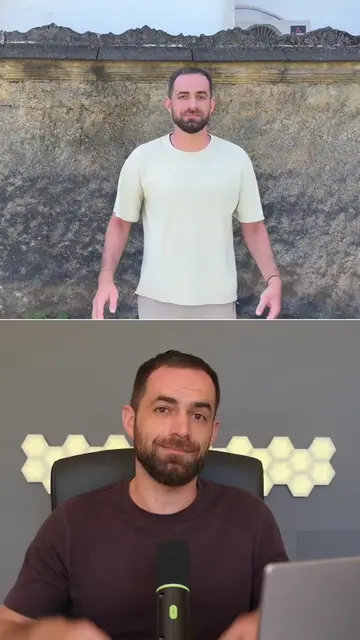
Adobe just launched a Claude connector, and it’s actually useful. You can access Adobe's creative tools inside Claude. So Adobe just launched a Claude connector that lets you use over 50 powerful Creative Cloud tools inside Claude, including tools from Photoshop, Illustrator, Express, Firefly, Premiere Pro, and more. For example, you can upload a photo and ask Claude to fix the lighting or crop it properly, turn one campaign idea into a social media post using Adobe Express templates, or you can repurpose a horizontal video into a vertical one for TikTok, Shorts, or Reels. To install it, open Claude and sign in. Click Customize in the left side bar, then go to Connectors tab. Hit the plus button, choose Browse Connectors. Search for Adobe for creativity. Select it and hit connect. You don't need an Adobe account, but signing in with one gives you higher usage limits, access to more tools, and the ability to save your work across sessions. Once the connector is installed, you can start testing it. For example, I uploaded an image and asked Claude to blur the background. And after a bit of thinking, it got the job done. Now, don't expect Claude to edit full videos or create advanced motion graphics. The abilities are still limited, but over time, you'll probably be able to do a lot more. So give it a try and let me know what you think.
Original caption
Adobe just launched a Claude connector, and it’s actually useful. You can ask Claude to edit images, create social assets, and repurpose videos using Adobe tools like Photoshop, Express, Firefly, Premiere, and more. Not perfect yet, but definitely worth testing. #claudeai #claude #adobeai #adobe #ai
More from @aisavvy
Their other posts in the index, biggest breakout first.