Loading video…
All breakouts
3.8AnimationSocial Proof hookEducation
Hook
Everyone who used a PC in the 2000s remembers this screen 👀🪟
@pyvisuals100
12.3K followers · usually 11.4K views a post
Views
48.4K
Likes
3.7K
Comments
20
Shares
126
Why it worked
The video taps into nostalgia by recreating a familiar and iconic visual from the past, which resonates with a broad audience who experienced that era of computing.
Summary
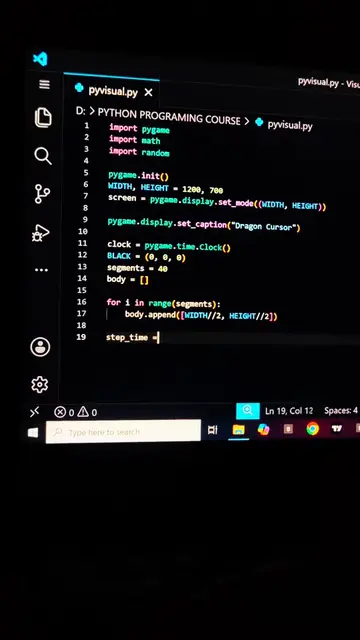
The video displays a Python script that animates the "Starting Windows" screen. It uses Matplotlib to create colored rectangles and text that fade in sequentially, mimicking the iconic boot-up animation.
Structure
- 1Display Python code for animation
- 2Define colors and positions for rectangles
- 3Create and append rectangles to the plot
- 4Add 'Starting Windows' text
- 5Define update function for animation
- 6Show the final animation
On-screen text
pyvisual.py
> PYTHON PROGRAMMING COURSE > pyvisual.py
fig, ax = plt.subplots(figsize=(8, 5))
fig.patch.set_facecolor("black")
ax.set_facecolor("black")
ax.axis("off")
colors = ["#FF2522",
"#FF7BA0",
"#FFB0EF",
"#FFB050"]
positions = [
(4, 3),
(7, 3),
(4, 1.9),
(5.1, 1.9)
]
blocks = []
for color, (x, y) in zip(colors, positions):
rect = Rectangle((x, y), 1, 1, color=color, alpha=0)
ax.add_patch(rect)
blocks.append(rect)
text = ax.text(
5,
1,
"Starting Windows",
color="white",
fontsize=16,
ha="center",
alpha=0
)
def update(frame):
for i, rect in enumerate(blocks):
delay = i * 15
if frame > delay:
alpha = min(1, (frame - delay) / 30)
rect.set_alpha(alpha)
if frame > 60:
text.set_alpha(min((frame - 60) / 30, 1))
return blocks + [text]
ani = FuncAnimation(
fig,
update,
frames=150,
interval=30,
blit=True
)
plt.show()
Starting Windows
Original caption
Everyone who used a PC in the 2000s remembers this screen 👀🪟#foryoupage #Foryou #coding #python #windows7
More from @pyvisuals100
More breakout videos from this creator.