Loading video…
All breakouts
9.6App DemoHow-To hookAI Tools
Hook
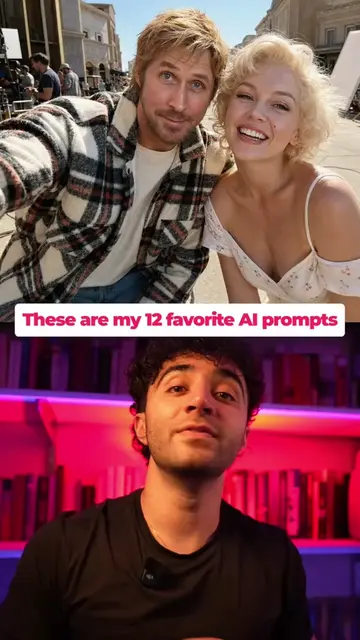
Put them in front of the Hurricane Tower.
@kayvon.ai
93.3K followers · usually 855 views a post
Views
7.9K
Likes
152
Comments
7
Shares
19
Why it worked
The video effectively showcases a powerful AI video editing feature (background replacement) in a visually engaging way, demonstrating a clear 'before and after' transformation. The call to action encourages engagement by offering the prompt and a 'secret' method, driving comments and shares.
Summary
This video demonstrates how to use Runway ML's Aleph 2.0 to change the background of a video using text prompts. It shows the process of uploading a video, selecting an edit frame, describing the desired background change, and generating the new video.
Structure
- 1Demonstrate background change with AI
- 2Navigate to Runway ML Edit Studio
- 3Upload video and select edit frame
Original caption
Follow me, then comment “AI” and I’ll send you the exact prompt plus the cheap way I run this model 🎬 Runway just dropped Aleph 2.0, and it changes how video editing works. You describe a change in plain English, and it applies it across your footage without touching anything you didn’t ask it to change. Backgrounds change. Subjects stay the same. No reshoots. No green screen. No re-editing. Here’s the workflow: 1️⃣ Go to Runway ML, then Apps, then Edit Studio 2️⃣ Upload your video 3️⃣ Pick the edit frame that best represents your subject 4️⃣ Type what you want changed 5️⃣ Pick GPT Image 2.0 as the model 6️⃣ Generate, slide to preview, then generate the video One clip. Unlimited variants. No going back to set. Comment “AI” and I’ll DM you the exact prompt plus the cheaper way to run Aleph 2.0. Try it at app.runwayml.com and use code ALEPH2 for 22% off 2 months of Runway Pro (through May 31). @Runway #MadeWithRunway #ad #Runway #aleph #aivideo
More from @kayvon.ai
More breakout videos from this creator.