Loading video…
All breakouts
6.8Talking HeadDirect Question hookCreator Economy
Hook
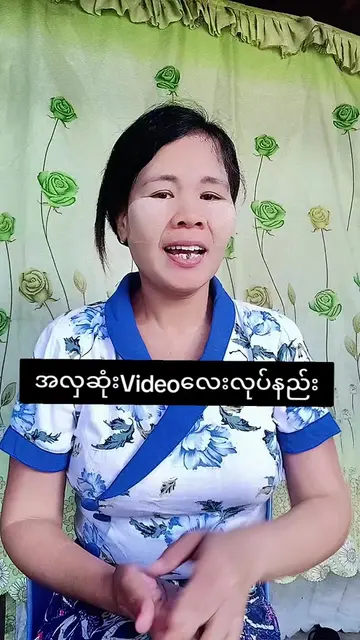
ကြော်ငြာသူတွေရုပ်ေနလား?
@khit.min.htay
285.2K followers · usually 496.1K views a post
Views
3.3M
Likes
172.2K
Comments
3.4K
Shares
5.6K
Promoted product
TikTok
Why it worked
The video provides practical, actionable advice on improving video quality within a popular platform, directly addressing a common concern for content creators. The clear demonstration and concise explanation make it easy to follow and implement.
Summary
The creator explains how to ensure good video and audio quality when uploading to TikTok. They demonstrate how to enable the 'Allow high-quality uploads' setting within the app to improve the final output.
Structure
- 1Introduction to video quality concerns
- 2Demonstration of TikTok upload settings
- 3Explanation of 'Allow high-quality uploads'
- 4Call to action to check settings and follow
Product placement
TIKTOK (ACTS - a platform for creating and sharing videos; the video demonstrates how to use its features to upload videos. Removing it would change what happens in the video.)
Call to action
FOLLOW ME
On-screen text
ကြော်ငြာသူတွေရုပ်ေနလား?
TIKTOK မှာ ပိုမိုတင်ဆက်လိုတဲ့အပြင်
သူ့ရဲ့အသံကို အရင်စစ်
VIDEO QUALITY ကောင်းမကောင်းကို
အရင်စစ်တယ်
အသံ QUALITY ကောင်းမကောင်းကို
အပြင်စစ်တယ်
ဒါကြောင့် ကိုယ့်ရဲ့ VIDEO လေးတွေက
QUALITY ကောင်းအောင်
ဘယ်လိုလုပ်ရမလဲဆိုတာကို
ပြောပြပေးမယ်နော်
ဟိုတုန်းက ကိုယ့်ကို ကူညီခဲ့တဲ့
ဒီလိုအသံကို လိုက္မယ္ဆိုရင်
ကိုယ့်ရဲ့ VIDEO တွေက QUALITY ကောင်းကောင်းလ႕
အခုခါ ALLOW HIGH QUALITY UPLOAD ဆိုတဲ့
ခလုတ်ကလေး ဖွင့်ထားလား
မဖွင့်ထားဘူးလား ဆိုတာကို
သွားပြီး ကြည့်ပါဦးနော်
ကျေးဇူးတင်ပါတယ်ရှင်
ကျွန်မရဲ့ အကောင့်ကို FOLLOW လုပ်ပေးကြပါဦးရှင်
FOLLOW ME
Original caption
View တစ်ရာနှစ်ရာနဲ့ရပ်ေနတဲ့သူေတွအတွက်#creatorsearchinsights #views #tiktok #contentcreator #khitminhtay
More from @khit.min.htay
More breakout videos from this creator.