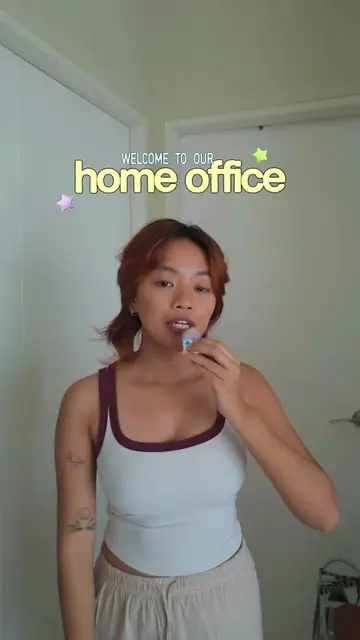
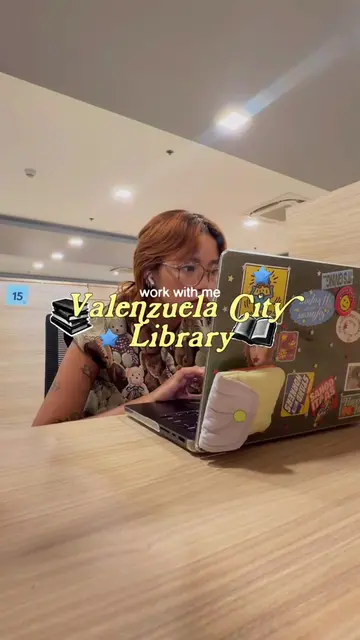
The video provides a clear, step-by-step breakdown of a complex process (video editing) in an easily digestible format. The creator's authentic and relatable approach, combined with practical tips and a demonstration of their workflow, likely resonated with aspiring content creators seeking to improve their skills.
Summary
The creator shares a detailed 8-step process for editing videos, starting from transferring footage and scripting to the final export. The process emphasizes authenticity in storytelling, meticulous refinement of audio and visuals, and ensuring a good flow and pacing for the final product.
Structure
1Transferring footage
2Reviewing clips and scripting
3Recording voiceover
4
Original caption
Replying to @yana.felicity finally spilling all the deets abt how i edit my videos kasi lagi niyo tinatanong to!! here's my complete #editingprocess as a content creator 💘💻 #contentcreator #editing101 #howtoedit #editingtips
More from @ang.elu
More breakout videos from this creator.
Refining audio
5Rough cut assembly
6Finalizing with effects and color grading
7Rewatching and exporting
8Adding subtitles
Product placement
DJI Mic Mini: It ACTS as a microphone to record audio for videos. Removing it would change the audio quality. CapCut Desktop: It ACTS as video editing software to edit videos. Removing it would change the editing process. Removing it would change the final video.
On-screen text
STEAL MY COMPLETE
editing
process
STEP #1
transfer
STEP #1
transfer videos
to laptop
STEP #2
review the clip
STEP #2
review the clips
STEP #3
write the script
MY TIPS
- find ur own voice
and stay true to it
- be original don't just
copy what everyone
else is doing
STEP #4
record voiceover
WHAT I USE
- DJI Mic Mini
- CapCut Desktop
STEP #5
refine the recording
STEP #6
rough cut
REMEMBER
focus on the structure, flow,
and pacing of your video
STEP #7
final cut
STEP #8
rewatch +
export
STEP #8
rewatch +
export
here are my usual export settings
Transcript
This is my complete editing process.
So for this video, I was actually editing an episode of my "Finding Free Third Places" series.
Step one is I transfer my videos to my laptop. I do this using AirDrop or my memory card reader, depending na lang if camera ba or phone ang ginamit ko pang film.
Step two is reviewing the videos. Papanoorin ko isa isa yung clips ko para may idea ako anong laman yung video and ano yung mga pwede kong ikwento about it.
Step three is write the script. My #1 rule about writing content is I stay true to my own voice. Ang pansin ko kasi dito sa social media is kakonsumo tayo ng ibang tao, unconsciously ginagaya natin how other people write and how other people speak. Thinking na if gagayahin niyo sila, magva-viral din kayo or magsa-succeed din kayo. But for me, if you really want to be remembered as a creator, dapat may own ideas ka and my original way of storytelling and you should be in tune with your own voice.
So sa writing part, pumapasok ang research. My series "finding free third places" is research-heavy, kaya nanonood ako ng news about deped, library budget, and I'm researching the website of the library na finifeature ko.
Step four is I record voiceover. I use my DJI Mic Mini and then sa CapCut app ako mismo nagre-record. When I record my voiceover, I just read the script I wrote, but I also put a lot of effort in making sure na I don't sound like I'm reading and dapat hindi siya monotone.
Step five is I refine the voiceover recording. So sa part na to dito ko kinacut yung mga hinga, mga pause, mga bulol moments. You really have to take your time when refining your voiceover recording kasi dito nakasalalay yung storytelling ng video mo.
Step six is the rough cut. Ang rough cut is the initial edited version. Bale ia-arrange ko yung clips according sa script. So di naayos ko na yung voice over. Now ang gagawin ko is bubuuin ko yung visuals corresponding to what I am saying sa voice over. If I'm talking sa voice over about the commute, syempre ang ilalagay ko na clips ay yung video sa MRT. When I'm talking about the book collection ng library, ang ilalagay ko syempre ay videos of me checking out books and yung books na nakita ko sa library na yon.
Since rough cut pa lang naman long step na to, wala pa ditong any sound effects, music, transitions or text sa video. Ang main focus lang natin dito is ayusin ang structure and pacing ng video.
Dito sa part na to to make sure mo na okay yung flow ng video mo and hindi siya boring.
Step seven is the final cut. Ito na yung fun part for me after ko marefine yung cut ng video. Dito na ko nag-a-add ng sound effects, text, nagco-color grade din ako ng video ko pag meron akong nahagip sa camera ng mga strangers. I also make sure ko yung faces nila. Also pag kaya pa ng energy ko, nag-a-add ako ng subtitles sa video ko.
Step eight is rewatch + export. Papanoorin ko lang ulit yung video and then i-export ko na when I'm satisfied. Here are my usual export settings.
And that's it. That's my complete editing process. If you have more questions, just let me know in the comments.