Loading video…
Sound

original sound - omg.fit
OMEGA X · Original audio
0:00–:––
Playing this video’s own audio, so you’ll hear the creator over the sound.
This video promotes it, but we haven’t matched it to a product page yet, so there are no product figures.
The video effectively highlights a practical and time-saving feature for a popular AI tool, addressing a common pain point for users. The clear demonstration and direct call to action encourage engagement and sharing.
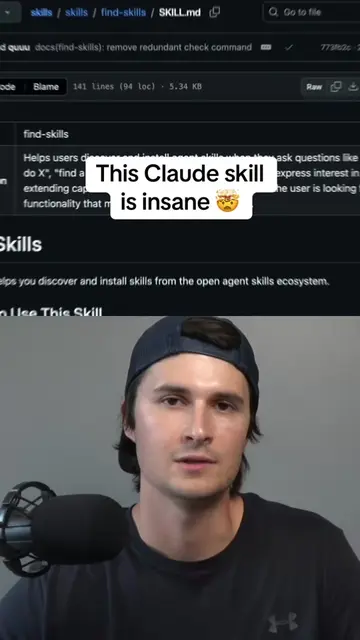
The video introduces a skill called "Find Skills" for Claude AI, which helps users discover and install other skills relevant to their projects. It highlights that this skill has been downloaded 1.8 million times and explains how to easily install and use it to save time and effort in finding the right tools for a project.
Commente CLAUDE 🤯 Tu utilises Claude sans connaître cette fonctionnalité ? Tu passes peut-être à côté de son meilleur atout… 👀 Cette skill peut complètement changer ta façon d’utiliser l’IA. 🚀 Tu la connaissais ? 💬 Dis-moi en commentaire si tu veux la Partie 2 ! #ClaudeAI #IA #IntelligenceArtificielle #AITips #Productivite @zey_madi
EST CE QUE TU SAVAIS
Introduction to a life-changing skill for Claude AI
Introducing 'Find Skills' and its popularity
Demonstrating the installation process via command line
Explaining how 'Find Skills' helps find project-specific tools
Call to action to DM for the download link
Find Skills: ACTS - it is a skill that allows users to discover and install other skills for Claude AI, which can be used to enhance projects. Removing it would prevent users from easily finding and installing these skills. It is presented as a tool to improve project development. The video shows how to install and use it. It is the subject of the video. Claude AI: ACTS - it is an AI assistant that users interact with. The Find Skills is a skill for Claude AI. Removing it would change the context of the demonstration. It is substrate.
DM me directly to download it
Playing this video’s own audio, so you’ll hear the creator over the sound.
Promotes 1 product. Create free account to see more.
Outliers and viral hits: their videos on Overshot, all time.