Loading video…
Sound

original sound - jennifersinger001
Jennifer Singer 📖♥️ · Original audio
0:00–:––
Playing this video’s own audio, so you’ll hear the creator over the sound.
The video provides a clear, step-by-step tutorial on a common pain point for self-publishing authors (book cover formatting for KDP), offering a practical solution with a direct call to action and a discount code, making it highly valuable and shareable within the target audience.
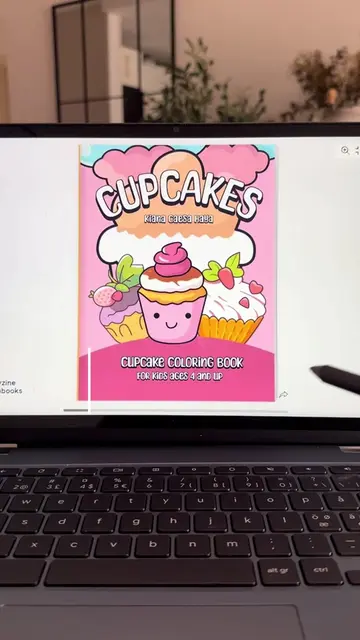
This video demonstrates how to format a book cover for Amazon KDP using Book Bolt. It guides viewers through designing the cover in tools like Canva or Kittall, downloading the files, and then using Book Bolt's Cover Converter to ensure proper formatting for KDP, including a coupon code for a discount.
📓 How to format a book cover for Amazon KDP! No upload errors! ⭐️Use this coupon code for 20% off 👉 JEN20 @BookBolt.io 📖 #creatorsearchinsights #bookcoverdesign #bookcovers #bookformatting #amazonkdp
HOW TO FORMAT YOUR BOOK COVER
Design book cover in Canva or Kittall
Download front and back covers
Go to Book Bolt and use Cover Converter
Add book details and images
Download formatted PDF
Upload to KDP and approve
Book Bolt (ACTS - its interface is operated to format and convert book covers for Amazon KDP, a visible result comes from it, and a coupon code is provided for its use. Removing it would change what happens in the video) Amazon KDP (APPEARS - it is the platform for which the book covers are being formatted. Removing it would not change what happens in the video, but would change the context of the video's purpose.) Canva (APPEARS - it is mentioned as an alternative tool for designing book covers. Removing it would not change what happens in the video.) Kittall (APPEARS - it is mentioned as an alternative tool for designing book covers. Removing it would not change what happens in the video.)
GO TO BOOKBOLT.IO (COUPON CODE: JEN20)
Playing this video’s own audio, so you’ll hear the creator over the sound.
Promotes 1 product. Create free account to see more.
Outliers and viral hits: their videos on Overshot, all time.
Book design and publishing software for Amazon KDP creators
All time.