Loading video…
All breakouts
 CapCutseen in 576 videos →
26.8App DemoOther hook
Hook
Speed Ramp
@afilmbyicon
12.1K followers · usually 3.4K views a post
Views
90.2K
Likes
7.3K
Comments
71
Shares
1.4K
Selling · SaaS › Other SaaS
Why it worked
The video provides a clear, step-by-step tutorial on a popular video editing technique using a widely used app. The "requested by a follower" framing also adds a personal touch and encourages engagement.
Summary
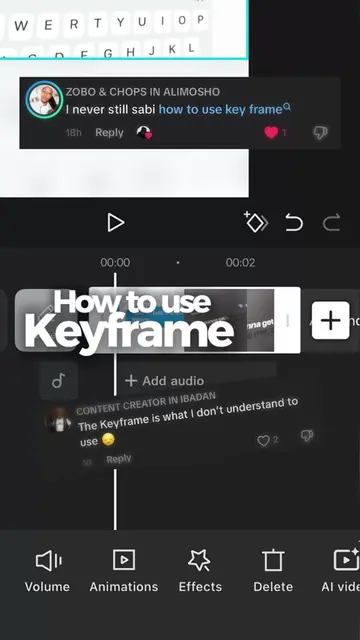
This video demonstrates how to create a speed ramp effect in CapCut. It guides the viewer through selecting a clip, navigating to the speed curve settings, and adjusting beat markers to control the speed of the video.
Structure
- 1Select clip and go to Speed > Curves > Custom
- 2Delete middle beat markers
- 3Add beat markers at desired speed change points
- 4Adjust markers to speed up or slow down the video
- 5Apply smooth slow-mo for better quality
Product placement
CapCut ACTS: it is an editing app used to create a speed ramp effect. Removing it would change what happens in the video.
On-screen text
Speed Ramp
in CapCut
Custom
Duration:11.1s -> 11.1s
Speed1.0x
10x
0.1x
Delete beat
Faster process
Better quality
Smooth slow-mo
Applying smooth slow-mo...
Custom
Duration:11.1s -> 11.7s
Speed0.9x
Duration:11.1s -> 12.7s
Speed0.7x
Duration:11.1s -> 16.3s
Speed0.6x
Original caption
Here is how to Speed Ramp in CapCut 👇 * 🎬 Select your clip and go to Speed > Curves > Custom. * ❌ Tap Edit, then delete the three middle beat markers to start fresh. * 📍 Move your playhead to where you want the speed change to start, and tap Add Beat. * ⏱️ Move forward a bit and add a second marker. * 📈 The Magic Step: Raise the markers up to speed things up, or drag them down for slow motion. Voila! Smooth transition achieved. ✨ Requested by a follower! Hit follow so you don’t miss the next editing breakdown 🚀
More from @afilmbyicon
Their other posts in the index, biggest breakout first.