Loading video…
All breakouts
6.0Text-HeavyHow-To hookAI Tools
Hook
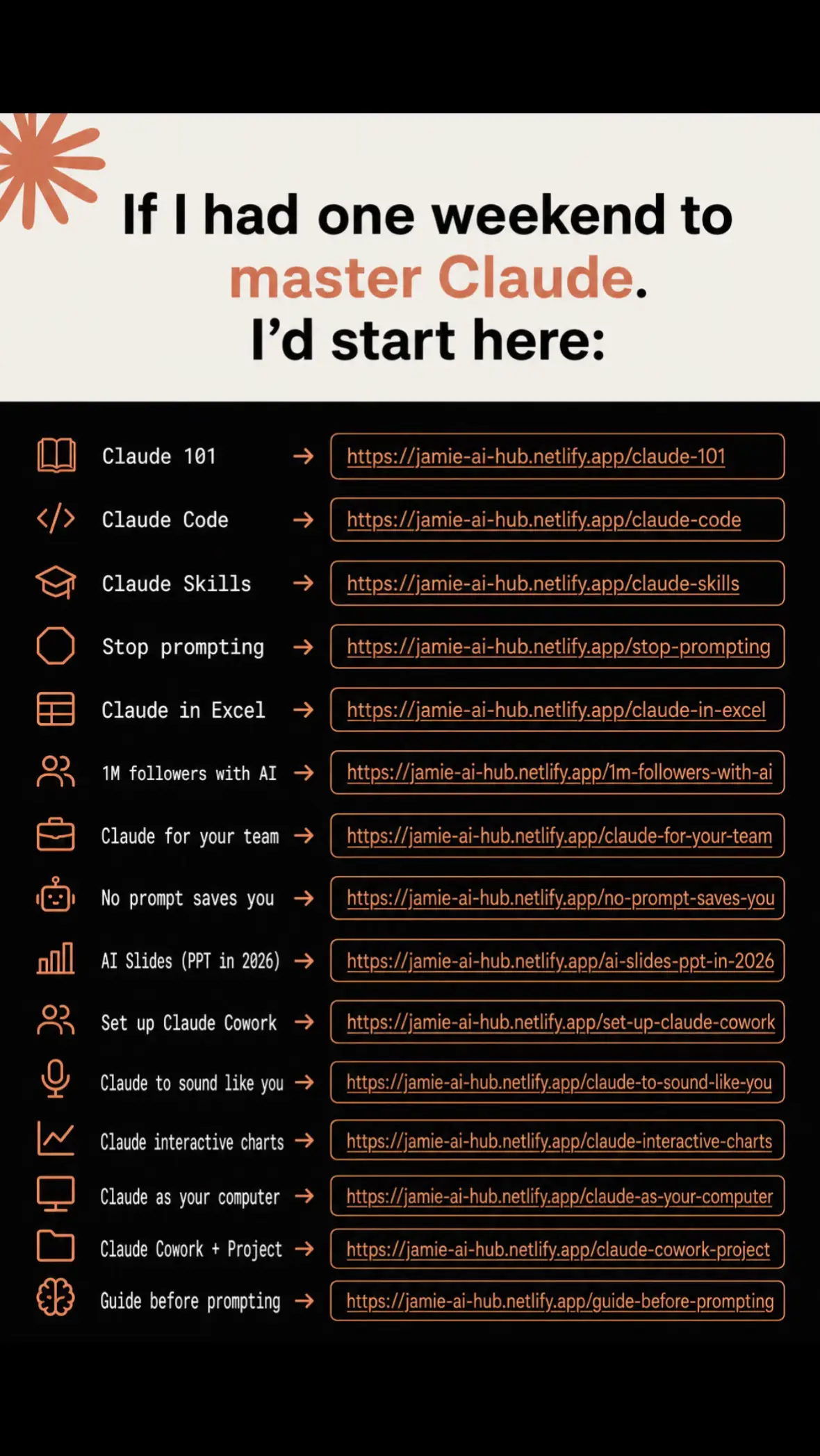
If I had one weekend to master Claude. I'd start here:
@jamieshuell.ai
4.1K followers · usually 813 views a post
Views
4.6K
Likes
130
Comments
5
Shares
49
Promoted product
Claude Hubhttps://jamie-ai-hub.netlify.app/ ↗
Why it worked
The post effectively leverages a common pain point (difficulty mastering AI tools like Claude) and offers a clear, structured solution in the form of a comprehensive resource hub. The use of direct links for each topic makes it easy for users to access specific information, driving engagement and potential sign-ups.
Summary
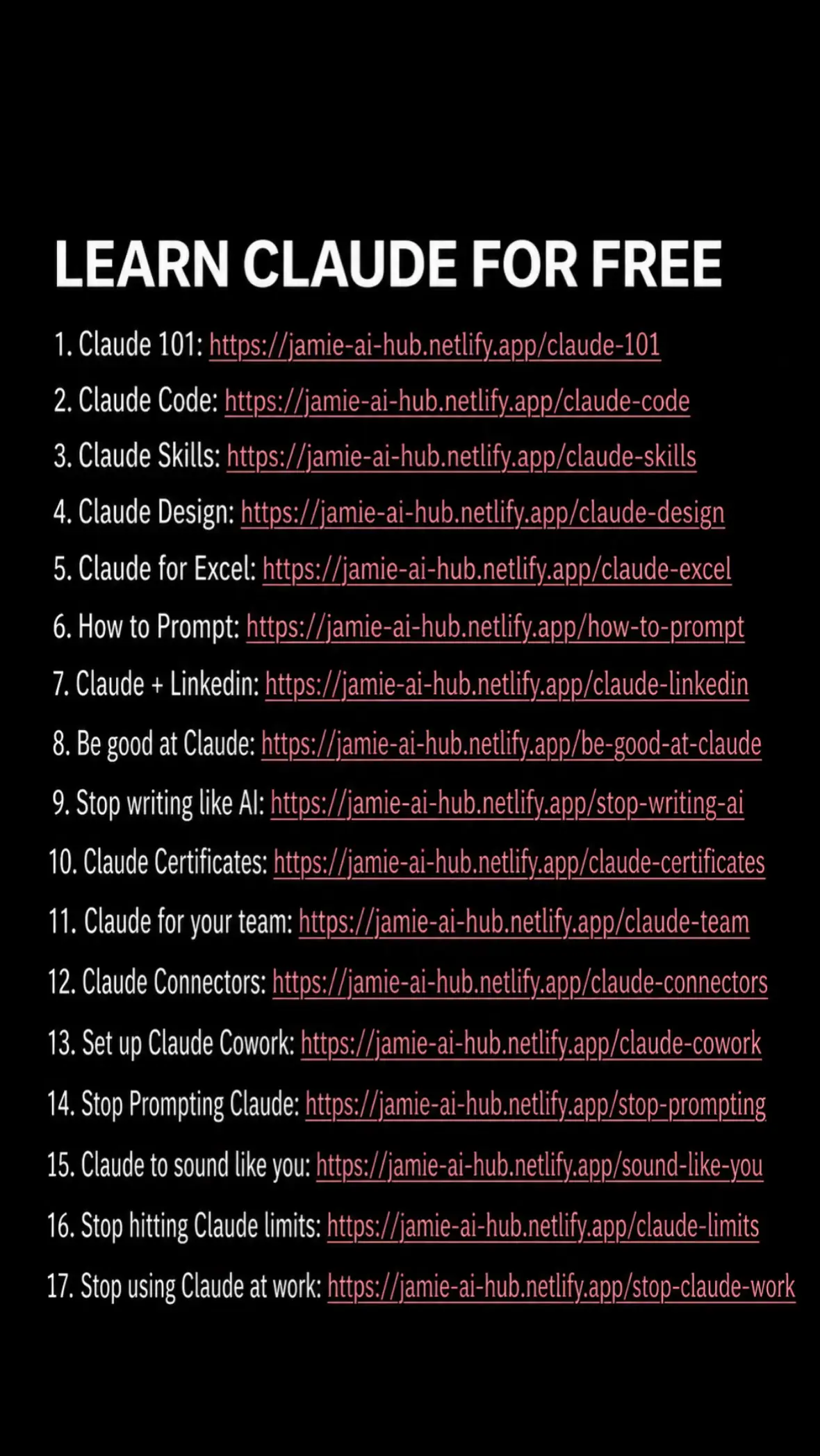
This post presents a curated list of resources for mastering Claude, an AI assistant. It aims to guide users from basic understanding to advanced applications like coding and team collaboration, offering a comprehensive hub of information.
Structure
- 1Introduction to mastering Claude
- 2List of Claude 101 resources
- 3Claude for coding and automation
- 4Claude for team collaboration and advanced use cases
- 5Resources for prompting and project management
Product placement
The entire post is a promotion for a hub of resources related to Claude AI, with each slide linking to a specific guide or tool.
Call to action
Original caption
I wish someone had given me this when I started using Claude. Most people open Claude, type a prompt, hope for the best, and wonder why the results aren’t that impressive. The people getting incredible outputs are using the right setup, the right workflows, and the right resources. So I put everything I’ve found into one free hub. Inside you’ll find guides on: • Claude 101 (perfect if you’re just getting started) • Claude Code for building apps and automations • Claude Skills to make Claude far more capable • Claude Cowork and Projects • Claude for Excel and spreadsheets • Interactive charts and dashboards • AI presentation creation • Writing prompts that actually work • Making Claude sound like you • Building AI workflows for work and business Whether you’re a beginner or already using Claude every day, these resources will save you hours of trial and error. Instead of searching YouTube, Reddit, X, and random blog posts, everything is organised in one place. 🔗 Free Claude Hub: https://jamie-ai-hub.netlify.app I’m updating it constantly as Anthropic releases new features, so save this post and come back whenever you want to learn something new. If there’s a Claude guide you think is missing, let me know in the comments and I’ll add it. If this helped you: ❤️ Like the post 💾 Save it for later 📤 Share it with someone learning AI 💬 Comment “CLAUDE” if you want more tutorials like this. Claude is changing incredibly quickly, and the people who learn it now will have a huge advantage over the next few years. #claude #claudecode #anthropic #claudeai #ai
More from @jamieshuell.ai
More breakout videos from this creator.