Loading video…
Sound

original sound - talks_with_atwist
TALKS WITH A TWIST · Original audio
0:00–:––
Playing this video’s own audio, so you’ll hear the creator over the sound.
This video promotes it, but we haven’t matched it to a product page yet, so there are no product figures.
The video taps into a common concern about digital privacy and data tracking, presenting a clear and actionable way for viewers to see what information Google collects about them. The use of on-screen text and direct demonstration makes the information easily digestible and relatable.
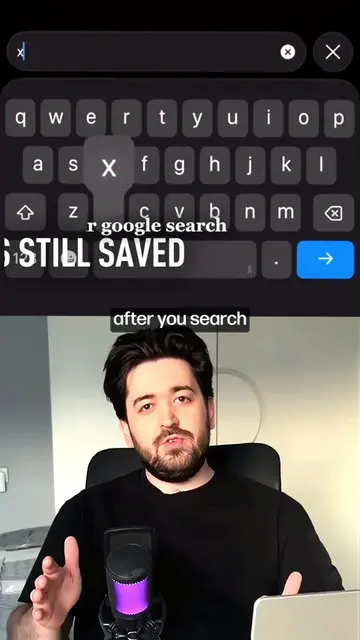
The video explains how Google Dashboard records your phone's activity history, including app installations, location data, passwords, contacts, photos, and videos. It shows how to access this data on myactivity.google.com and emphasizes that this information is recorded and can be used as evidence.
OPEN GOOGLE DASHBOARD SEE YOUR ACTIVITY'S #mrbeast #mrbeastchallenge #foryouoage #mrbeast
SO IN THE
Introduction to phone history tracking
Demonstration of Google Dashboard interface
Explanation of data types recorded (apps, location, passwords, etc.)
Showing how to access the data on myactivity.google.com
Highlighting the evidentiary nature of the recorded data
Google Dashboard: it shows user activity history, including installed apps, location history, and passwords. It ACTS as a central hub for Google account data. Removing it would mean losing access to this data. Google: it is the parent company of Google Dashboard. It merely APPEARS as the provider of the service. Removing it would not change what happens in the video. Google Search: it is a search engine. It merely APPEARS as an icon on the dashboard. Removing it would not change what happens in the video. Gmail: it is an email service. It merely APPEARS as an icon on the dashboard. Removing it would not change what happens in the video. YouTube: it is a video-sharing platform. It merely APPEARS as an icon on the dashboard. Removing it would not change what happens in the video. Google Drive: it is a cloud storage service. It merely APPEARS as an icon on the dashboard. Removing it would not change what happens in the video. Google Photos: it is a photo storage service. It merely APPEARS as an icon on the dashboard. Removing it would not change what happens in the video. TikTok: it is a social media app. It merely APPEARS as an app icon on a phone screen. Removing it would not change what happens in the video. Spotify: it is a music streaming app. It merely APPEARS as an app icon on a phone screen. Removing it would not change what happens in the video. Notes: it is a note-taking app. It merely APPEARS as an app icon on a phone screen. Removing it would not change what happens in the video. Snapchat: it is a social media app. It merely APPEARS as an app icon on a phone screen. Removing it would not change what happens in the video. Pinterest: it is a social media app. It merely APPEARS as an app icon on a phone screen. Removing it would not change what happens in the video. Camera: it is a camera app. It merely APPEARS as an app icon on a phone screen. Removing it would not change what happens in the video. Safari: it is a web browser. It merely APPEARS as an app icon on a phone screen. Removing it would not change what happens in the video. YouTube: it is a video-sharing platform. It merely APPEARS as an app icon on a phone screen. Removing it would not change what happens in the video. Photos: it is a photo gallery app. It merely APPEARS as an app icon on a phone screen. Removing it would not change what happens in the video. WhatsApp: it is a messaging app. It merely APPEARS as an app icon on a phone screen and in a delete confirmation dialog. Removing it would not change what happens in the video. "Talk with Twist": it is a watermark/branding. It merely APPEARS on screen. Removing it would not change what happens in the video.
Go to myactivitygoogle.com and log in with your Google account.
Playing this video’s own audio, so you’ll hear the creator over the sound.
Promotes 2 products. Create free account to see more.
Outliers and viral hits: their videos on Overshot, all time.