Loading video…
All breakouts
 CapCutseen in 576 videos →
16.0App DemoOther hook
Hook
23:34
@alba678
2.3K followers · usually 712 views a post
Views
11.4K
Likes
48
Comments
0
Shares
95
Selling · SaaS › Other SaaS
Why it worked
The video leverages a popular TikTok trend and provides a clear, step-by-step tutorial on how to replicate it using a specific app. The use of on-screen text and visual cues makes it easy for viewers to follow along and encourages engagement.
Summary
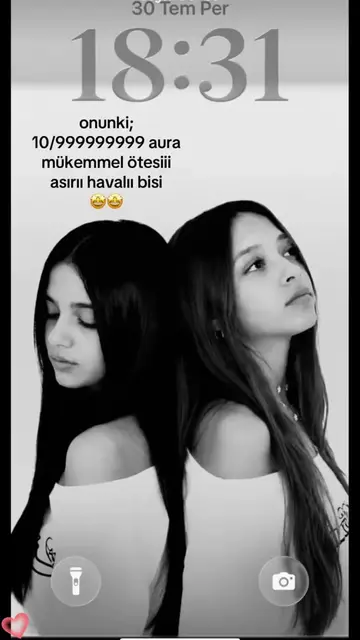
The video demonstrates how to use a specific CapCut template to create a "best friend back-to-back" wallpaper. It shows users how to find the template, copy the link, and then apply their own photos within the CapCut app.
Structure
- 1Showcase template examples
- 2Instruct to copy link
- 3Instruct to use template in CapCut
- 4Select photos
- 5Apply template
Product placement
CapCut: ACTS - it is used to edit videos, and the video demonstrates how to use it to apply a template. Removing it would change what happens in the video.
TikTok: APPEARS - it is a watermark on the video. Removing it would not change what happens in the video.
Spotify: APPEARS - it is a watermark on the video. Removing it would not change what happens in the video.
Call to action
Original caption
#capcut #capcutpioneer #capcutnow Kanka sırt sırta duvar kağıdı şablonu 💞🖤✨, Videonun sol alt köşesine tıklayarak aynı şablonu kullanabilirsiniz👇 Best friend back-to-back wallpaper template 💞🖤✨, Click the bottom left corner of the video to use the same template👇 Yoldaş arxadan-arxa divar kağıdı şablonu 💞🖤✨, Videonun sol alt küncünə kliklə eyni şablondan istifadə edə bilərsiniz👇 قالب کاغذ دیواری پشت به پشت دوست صمیمی 💞🖤✨، گوشه پایین سمت چپ ویدیو کلیک کنید تا از همین قالب استفاده کنید👇 #keşfet #viral
More from @alba678
Their other posts in the index, biggest breakout first.