Loading video…
All breakouts
 IPTV Smart Playerseen in 2 videos →
9.8App DemoOther hook
Hook
Live TV: Movies and TV Shows
@flashlight.projector
1.8K followers · usually 3.2K views a post
Views
30.6K
Likes
71
Comments
1
Shares
8
Selling · SaaS › Other SaaS
Why it worked
The video effectively showcases a free method to access a vast library of entertainment content, appealing to users looking for cost-effective streaming solutions. The clear demonstration and promise of thousands of channels create strong value.
Summary
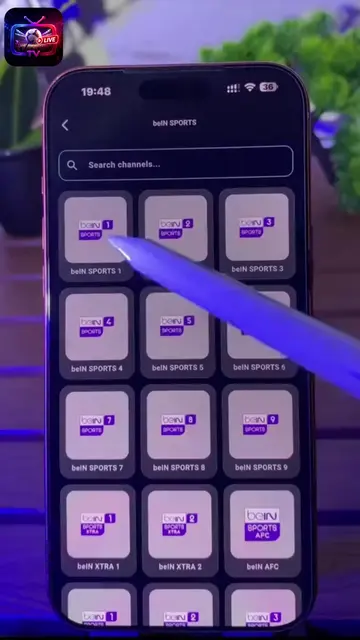
The video demonstrates how to use the IPTV Smart Player app to access over 8000 channels by entering a specific URL. It highlights the app's ability to organize channels and offers a free way to enjoy movies, series, and live content.
Structure
- 1Introduction to IPTV Smart Player
- 2Demonstration of adding a URL
- 3Explanation of channel count and content
- 4Customization options
- 5Accessing content and conclusion
Product placement
Live TV: Movies and TV Shows (ACTS - it is an app that plays live TV, movies, and shows. Removing it would change what happens in the video.)
Meta AI (APPEARS - it is a suggested app, not directly used in the video. Removing it would not change what happens in the video.)
Netflix (APPEARS - it is a suggested app, not directly used in the video. Removing it would not change what happens in the video.)
Prime Video (APPEARS - it is a suggested app, not directly used in the video. Removing it would not change what happens in the video.)
IPTV Smart Player Pro (ACTS - it is an app that is being demonstrated. Removing it would change what happens in the video.)
IPTV Smart Player - TV Smarter (ACTS - it is an app that is being demonstrated. Removing it would change what happens in the video.)
Cast for Chromecast & TV (APPEARS - it is a suggested app, not directly used in the video. Removing it would not change what happens in the video.)
Anime HD Bstation, Video (APPEARS - it is a suggested app, not directly used in the video. Removing it would not change what happens in the video.)
Vidio: Sports, Movies, Series (APPEARS - it is a suggested app, not directly used in the video. Removing it would not change what happens in the video.)
Nimo Stream (APPEARS - it is a suggested app, not directly used in the video. Removing it would not change what happens in the video.)
IPTV.llc (ACTS - it is a URL that is being entered into the app to load content. Removing it would change what happens in the video.)
Original caption
Watch everything with this app 4096_5
More from @flashlight.projector
Their other posts in the index, biggest breakout first.