Loading video…
All breakouts
13.0App DemoOther hookAI Tools
Hook
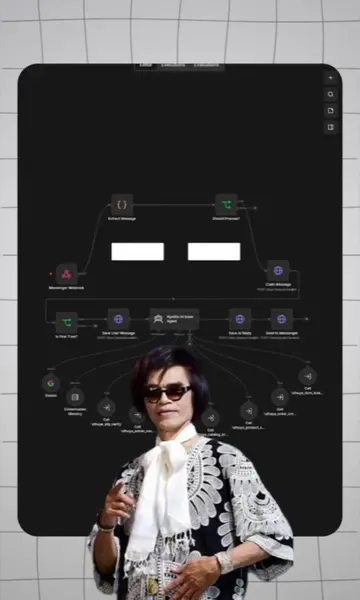
Gemini ကို n8n ထဲကနေ workflow တွေ ဆောက်ခိုင်းလို့ရပါတယ်
@moehtetofficialprofile
18.6K followers · usually 2.3K views a post
Views
42.2K
Likes
2.0K
Comments
12
Shares
227
Promoted product
Geminigemini.google.com ↗
Why it worked
The video effectively showcases a practical integration between two popular tools, Gemini and n8n, demonstrating a clear value proposition for users looking to automate their workflows. The use of a screen recording makes the process easy to follow and replicate.
Summary
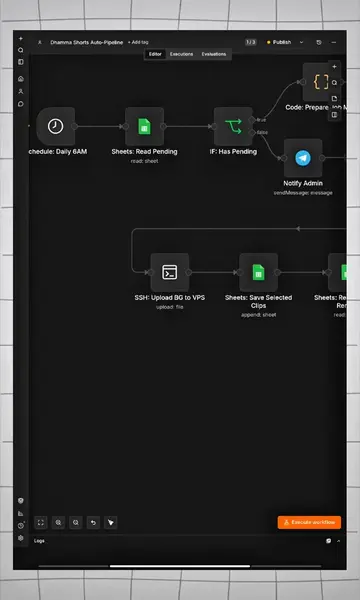
The video demonstrates how to connect Google Gemini to n8n to automate workflow creation. It shows the process of linking the accounts and then using Gemini to generate n8n workflows based on a text prompt.
Structure
- 1Introduction to Gemini and n8n integration
- 2Connecting Gemini to n8n
- 3Using Gemini to create an n8n workflow
- 4Gemini generating workflow steps
Product placement
Gemini: AI assistant that generates text, code, and other creative content. It acts by generating content and performing tasks. Its interface is operated. Removing it would change what happens in the video.
n8n: Workflow automation tool that connects different apps and services. It acts by automating workflows and connecting apps. Its interface is operated. Removing it would change what happens in the video.
Google: Technology company that provides various products and services, including AI and cloud computing. It merely appears as a watermark and in the browser URL. Removing it would not change what happens in the video.
Claude.ai: AI assistant. It acts by being connected to n8n. Its interface is operated. Removing it would change what happens in the video.
Original caption
n8n workflow တွေကို Gemini Spark ထဲကနေ ကိုယ်လိုချင်တာကို စာရေးပီး ဆောက်ခိုင်းလို့ရပါတယ် #n8n #n8nသင်တန်း #automation #TechTips
More from @moehtetofficialprofile
More breakout videos from this creator.