Loading video…
Sound

original sound - smart_data
Smart Data · Original audio
0:00–:––
Playing this video’s own audio, so you’ll hear the creator over the sound.
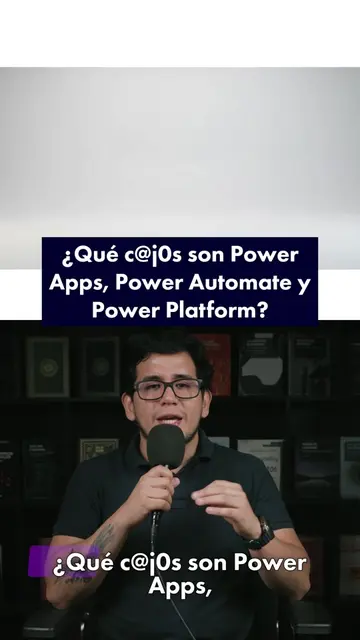
The video effectively demonstrates the value proposition of Power Apps by showing how it simplifies app creation for common business needs, making it relatable and actionable for viewers. The promotion of a related course at the end provides a clear next step for interested users.
The video explains how Microsoft Power Apps can be used to create custom applications without coding, streamlining work processes. It showcases examples of apps that can be built, such as inventory control and request management systems, and promotes a course on automation and AI agents with Microsoft Power Platform.
🚨 ¿Tu trabajo todavía depende de Excel, correos y procesos manuales? Con Microsoft Power Apps puedes convertir esos procesos en aplicaciones funcionales para inventarios, solicitudes, registros y mucho más, sin ser desarrollador. 📱⚡ Conecta tus datos, crea soluciones a medida y ayuda a tu equipo a trabajar más rápido y con menos errores. 🚀 Aprende a llevarlo a la práctica en nuestra especialización de Automatización y Agentes IA con Microsoft Power Platform. 🔗 Más información: https://smartdata.com.pe/curso/automatizacion-agentes-ia-microsoft-power-platform/ 💬 ¿Qué proceso de tu trabajo automatizarías primero? #PowerApps #PowerPlatform #Automatización #SmartData
Optimiza tu trabajo con Power Apps
Introduction to the problem of manual processes
Introducing Power Apps as a solution
Demonstrating ease of use and data connection
Showcasing examples of built apps
Promoting a related course
Microsoft Power Apps: ACTS - it is a low-code tool that allows users to design professional applications for mobile or web without writing traditional code. Its interface is operated to create apps. Removing it would change what happens in the video. Microsoft Excel: ACTS - used as an example of a data source and for its basic formulas, which are compared to Power Apps' ease of use. Removing it would change what happens in the video. PowerPoint: ACTS - used as an example of an intuitive tool for creating presentations, compared to Power Apps' ease of use. Removing it would change what happens in the video. SharePoint: ACTS - mentioned as a data source that can be connected to Power Apps. Removing it would change what happens in the video. SQL: ACTS - mentioned as a data source that can be connected to Power Apps. Removing it would change what happens in the video. Dataverse: ACTS - mentioned as a data source that can be connected to Power Apps. Removing it would change what happens in the video. Power Automate: ACTS - mentioned as a tool for creating flows and agents, in the context of a course. Removing it would change what happens in the video. Microsoft Power Platform: ACTS - mentioned as the platform for a specialization course on automation and AI agents. Removing it would change what happens in the video.
Inscríbete en nuestro curso de Automatización y Agentes IA con Microsoft Power Platform.
Playing this video’s own audio, so you’ll hear the creator over the sound.
Promotes 3 products. Create free account to see more.
Outliers and viral hits: their videos on Overshot, all time.
Low-code app builder for businesses creating custom workflow apps
All time.