Loading video…
Sound

original sound - wanzenn
WanZen · Original audio
0:00–:––
Playing this video’s own audio, so you’ll hear the creator over the sound.
The video provides a clear, step-by-step tutorial for a popular video editing effect, leveraging the creator's own template and a trending audio. The use of on-screen text and visual demonstrations makes it easy to follow, driving engagement and shares.
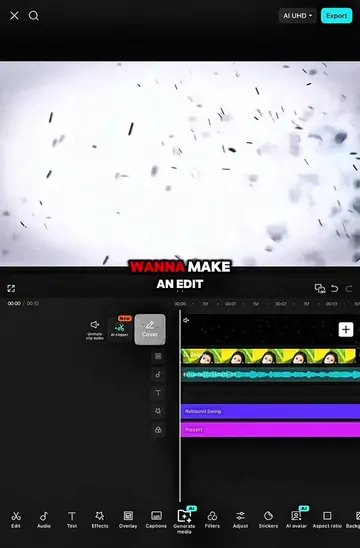
This video provides a tutorial on how to create a "chill shake" effect in CapCut. It guides viewers through adding and adjusting the "Omniflexion" effect with keyframes and specific parameter values to achieve the desired visual style. The tutorial emphasizes duplicating and applying these effects to multiple clips to create a dynamic video sequence.
Tutorial on this chill Shake || (1/1) | song > see tình | Ib : Me #CapCut #capcutpioneer #capcuttutorial #capcut_edit #wanzen
Tutorial on this Chill shake
Prepare and align clips
Add and adjust Omniflexion effect
Set keyframes and parameters
Apply graphs to keyframes
Duplicate and apply effects to all clips
Show final result
CapCut: it ACTS as a video editing software, allowing users to create and edit videos. Removing it would change what happens in the video. It is the primary tool used in the tutorial. CapCut is also mentioned in the creator's bio and linked in the bio link, which also leads to the App Store page for CapCut. This is evidence that the creator is promoting CapCut. The bio link is a direct link to download CapCut, which is the product being demonstrated. Therefore, the bio link is the product promoted here.
Playing this video’s own audio, so you’ll hear the creator over the sound.
Promotes 1 product. Create free account to see more.
Outliers and viral hits: their videos on Overshot, all time.
Video editing app for creators making social media videos
Views and creators: posted in the last 30 days (English videos). Videos: all time.