Loading video…
All breakouts
7.8Talking HeadDirect Question hookEducation
Hook
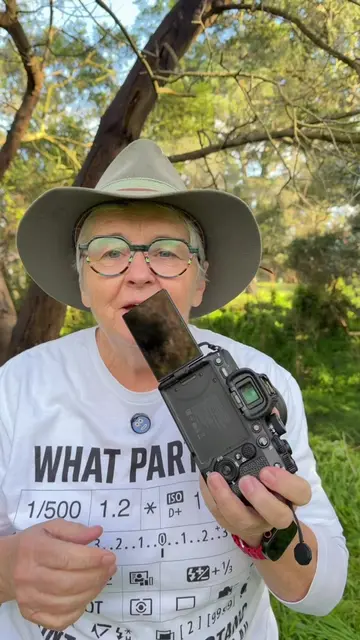
LET'S TALK ABOUT THIS DIAL ON YOUR CAMERA THIS
@learnhowtophotogr6
259.6K followers · usually 4.0K views a post
Views
30.8K
Likes
1.6K
Comments
38
Shares
88
Why it worked
The video provides a clear and concise explanation of camera modes, which is a fundamental topic for beginner photographers. The creator's direct and informative approach, combined with visual demonstrations on the camera, makes the content easily digestible and valuable.
Summary
The video explains the different shooting modes on a Sony camera, including Auto, Program, Aperture Priority, Shutter Priority, and Manual. The creator details what each mode controls and how it affects the final photograph, emphasizing user control over settings.
Structure
- 1Introduction to the camera mode dial
- 2Explanation of Auto mode
- 3Explanation of Program mode
- 4Explanation of Aperture Priority (A/AV) mode
- 5Explanation of Shutter Priority (S/TV) mode
- 6Explanation of Manual mode
Product placement
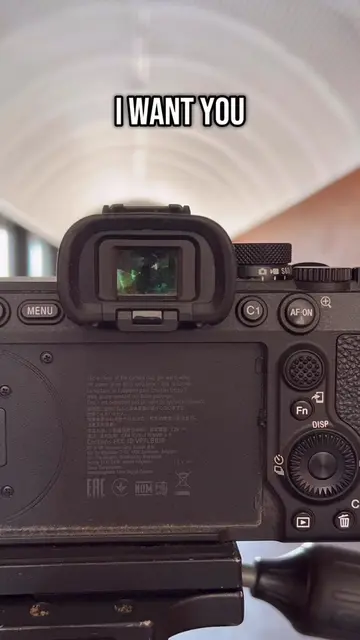
Sony: appears as a brand name on the camera. Removing it would not change what happens in the video.
FE 4.5-5.6/70-300 G OSS: appears as a lens model name on the camera. Removing it would not change what happens in the video.
On-screen text
LET'S TALK ABOUT
THIS DIAL ON
YOUR CAMERA THIS
IS THE CAMERA MODE
DIAL IT RELATES
TO HOW YOU
YOUR CAMERA
THE CAMERA FULLY AUTOMATIC
THAT IS THE
CAMERA TAKES CARE
THE SETTINGS FOR YOU
O THE SHUTTER
THE APERTURE
EVEN THE FLASH
THAT WILL POP
UP EVEN IF
IT TO
TO WORRY ABOUT
ANYTHING EXCEPT THE
OF YOU
THE NEXT ONE
IS P PROGRAM MODE
AND PROGRAM MODE
IS LIKE AUTO MODE
EXCEPT ALL THE
SETTINGS ARE AVAILABLE
TO YOU YOU
YOU CAN CHANGE
THE ISO
YOU CAN CHANGE
THE EXPOSURE COMPENSATION
ON SOME CAMERAS IF YOU WANT TO
YOU'VE GOT MORE
CONTROL OVER IT
OR YOU CAN
SIMPLY LEAVE IT
FOR THE CAMERA
TO CHOOSE
THE SHUTTER AND
TO WORRY ABOUT TAKING
THE PHOTOGRAPH THE
THE NEXT ONE
IS A OR
A V MODE
IF YOU'VE GOT
A CANON APERTURE
VALUE MODE THIS MODE
MEANS THAT YOU
OF THE APERTURE
YOU WANT TO
CONTROL OF THE
THE APERTURES BECAUSE
YOU WANT TO AFFECT
FIELD
WHAT IS BLURRY
AND WHAT IS NOT BLURRY ON
APERTURE MODE
YOU CHOOSE THE
AND THE CAMERA
GOES OFF TO
FIND A MATCHING
SHUTTER SPEED THE
NEXT ONE IS S
SHUTTER OR CANON
CALL IT T
V TIME VALUE
AND THIS IS
SIMILAR TO APERTURE MODE
BUT THIS TIME
YOU'RE IN CONTROL
OF THE SHUTTER
TO TAKE CONTROL
OF THE SHUTTER BECAUSE
YOU WANT TO
FREEZE ACTION
OR YOU WANT
TO CREATE A
FEELING OF MOVEMENT
IN YOUR PHOTOGRAPHS
SO YOU CHOOSE
THE SHUTTER SPEED
AND THE CAMERA
WILL GO OFF AND FIND
A MATCHING APERTURE
ONE IS M
MANUAL MODE
YOU ARE IN
CONTROL OF CHOOSING
THE APERTURE AND
YOU'RE IN CONTROL
OF SHUTTER
USING MANUAL MODE
DOES NOT MAKE
YOU A BETTER PHOTOGRAPHER
IT DOES NOT GIVE YOU
A BETTER PHOTOGRAPH
YOU USE WHATEVER
IS COMFORTABLE FOR
YOU YOU USE
WHATEVER MAKES
SENSE FOR YOU
SO YOU'VE GOT
A RANGE OF MODES
FROM FULLY AUTOMATIC
TO FULLY MANUAL
AUTOMATIC SETTINGS IN BETWEEN
Original caption
#creatorsearchinsights The PSAM or PAVTVM dial on the top of the camera What is it, what does it do?
More from @learnhowtophotogr6
More breakout videos from this creator.