Loading video…
Sound

twilight serenade
Scizzie
0:00–:––
Playing this video’s own audio, so you’ll hear the creator over the sound.
We didn’t find a product being promoted in this video. Its hook, format and structure below still show why it took off.
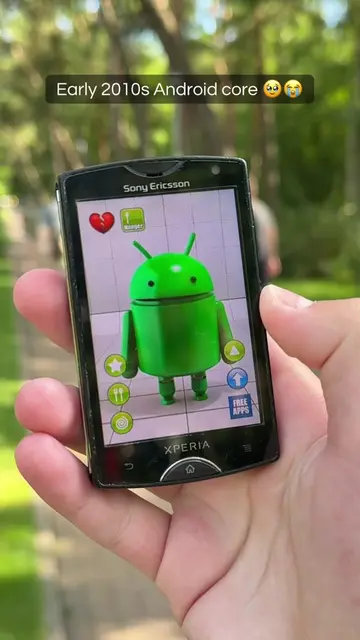
Browse products winning on TikTokThe video taps into nostalgia for older technology, specifically a popular smartphone from the 2010s. This resonates with viewers who owned or remember the device, creating a sense of shared experience and reminiscence.
The video showcases a Sony Xperia J phone, highlighting its nostalgic interface and features. It displays the phone's home screen, app drawer, and settings menu, including the Android version. The creator also demonstrates using the camera function.
Sony Xperia J nostalgia 🥹 #oldphone #oldphones #2010snostalgia #techtok #android4
Sony Xperia J nostalgia 🥹
Introduction of the Sony Xperia J
Display of the phone's home screen and apps
Navigation through settings and 'About phone' screen
Showing the Android version and Jelly Bean easter egg
Demonstration of the camera interface
Sony Xperia J: This is a smartphone that is shown and interacted with throughout the video. Removing it would change the video entirely. Sony: This is the brand name on the phone. Removing it would not change what happens in the video. Xperia: This is the model line name on the phone. Removing it would not change what happens in the video. Google: This is an app icon on the phone's home screen. Removing it would not change what happens in the video. WMP: This is an app icon on the phone's home screen. Removing it would not change what happens in the video. NaviExpert-P: This is an app icon on the phone's home screen. Removing it would not change what happens in the video. Gmail: This is an app icon on the phone's home screen. Removing it would not change what happens in the video. Camera: This is an app icon on the phone's home screen. Removing it would not change what happens in the video. Play Store: This is an app icon on the phone's home screen. Removing it would not change what happens in the video. Facebook: This is an app icon on the phone's home screen. Removing it would not change what happens in the video. Calendar: This is an app icon on the phone's home screen. Removing it would not change what happens in the video. Talk: This is an app icon on the phone's home screen. Removing it would not change what happens in the video. Navigation: This is an app icon on the phone's home screen. Removing it would not change what happens in the video. Local: This is an app icon on the phone's home screen. Removing it would not change what happens in the video. FM radio: This is an app icon on the phone's home screen. Removing it would not change what happens in the video. WALKMAN: This is an app icon on the phone's home screen. Removing it would not change what happens in the video. Support: This is an app icon on the phone's home screen. Removing it would not change what happens in the video. Google+: This is an app icon on the phone's home screen. Removing it would not change what happens in the video. Messenger: This is an app icon on the phone's home screen. Removing it would not change what happens in the video. AudioJukebox: This is an app icon on the phone's home screen. Removing it would not change what happens in the video. EA Games: This is an app icon on the phone's home screen. Removing it would not change what happens in the video. PTM Player: This is an app icon on the phone's home screen. Removing it would not change what happens in the video. News & Weather: This is an app icon on the phone's home screen. Removing it would not change what happens in the video. Videos: This is an app icon on the phone's home screen. Removing it would not change what happens in the video. YouTube: This is an app icon on the phone's home screen. Removing it would not change what happens in the video. Connected Devices: This is an app icon on the phone's home screen. Removing it would not change what happens in the video. Downloads: This is an app icon on the phone's home screen. Removing it would not change what happens in the video. Movies: This is an app icon on the phone's home screen. Removing it would not change what happens in the video. Music & Videos: This is an app icon on the phone's home screen. Removing it would not change what happens in the video. Chrome: This is an app icon on the phone's home screen. Removing it would not change what happens in the video. TOP HD GAMES: This is an app icon on the phone's home screen. Removing it would not change what happens in the video. Sony Select: This is an app icon on the phone's home screen. Removing it would not change what happens in the video. Update Centre: This is an app icon on the phone's home screen. Removing it would not change what happens in the video. Calculator: This is an app icon on the phone's home screen. Removing it would not change what happens in the video. Album: This is an app icon on the phone's home screen. Removing it would not change what happens in the video. Smart Connect: This is an app icon on the phone's home screen. Removing it would not change what happens in the video. Clock: This is an app icon on the phone's home screen. Removing it would not change what happens in the video. Voice Search: This is an app icon on the phone's home screen. Removing it would not change what happens in the video. News & Weather: This is an app icon on the phone's home screen. Removing it would not change what happens in the video. PlaySchool: This is an app icon on the phone's home screen. Removing it would not change what happens in the video. WMAP: This is an app icon on the phone's home screen. Removing it would not change what happens in the video. NewsReader: This is an app icon on the phone's home screen. Removing it would not change what happens in the video. OfficeSuite: This is an app icon on the phone's home screen. Removing it would not change what happens in the video. PlayNow™: This is an app icon on the phone's home screen. Removing it would not change what happens in the video. Twitter: This is an app icon on the phone's home screen. Removing it would not change what happens in the video. TrackID: This is an app icon on the phone's home screen. Removing it would not change what happens in the video. Android 4.1.2 Jelly Bean: This is the operating system version displayed on the phone. Removing it would not change what happens in the video.
Playing this video’s own audio, so you’ll hear the creator over the sound.
Promotes 2 products. Create free account to see more.
Outliers and viral hits: their videos on Overshot, all time.