Loading video…
Sound

original sound - aminka_kikido3
aminka_kikido3 · Original audio
0:00–:––
- Videos using it
- 25
- Creators
- 16
- Views on those videos
- 22.5M
The video capitalizes on a popular social media trend, providing a clear, step-by-step tutorial using a widely accessible editing app (CapCut). The use of on-screen text and visual cues makes it easy to follow, encouraging user participation and sharing.
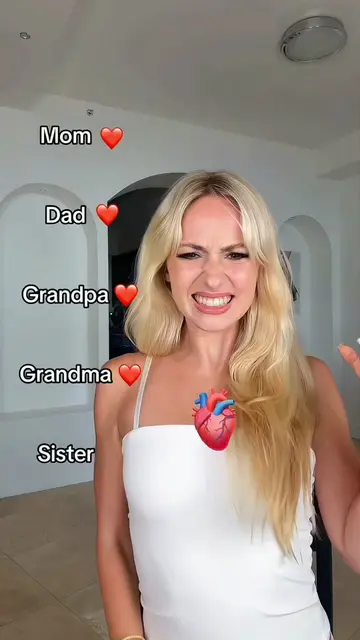
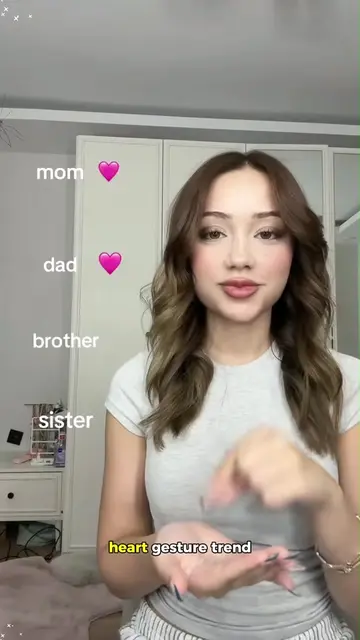
This video demonstrates how to use the CapCut app to create a "family heart gesture" trend video. It guides viewers through copying a video link, using a CapCut template, and uploading a photo to create their own version of the trend.
How to make the family heart gesture trend? 💛 Free step‑by‑step tutorial inside! I’ll show you how to recreate this popular mom dad sister brother trend. ✨ Follow these steps to get this viral family gesture effect for your videos. 🫶 mamá papá abuela hermana mom dad sister brother trend mom dad sister brooke mom dad sister brother filter #familytrend #familygesture #momdadfilter #capcut #capcutpioneer
Mom ❤️
Introduce the trend and the goal
Demonstrate copying the video link
Show how to use the CapCut template
Instruct on uploading a photo
Finalize the video creation
CapCut: it ACTS as a video editing app that allows users to create videos using templates. Removing it would prevent the user from creating the video as shown. It APPEARS as a watermark/button on screen. Removing it would change how the user interacts with the video.
Use template in CapCut
Video editing app for creators making social media videos
Views and creators: posted in the last 30 days (English videos). Videos: all time.
Promotes 1 product. Create free account to see more.
Outliers and viral hits: their videos on Overshot, all time.