Loading video…
Sound

original sound - techwim
Wim Lee · Original audio
0:00–:––
Playing this video’s own audio, so you’ll hear the creator over the sound.
The video uses fast-paced, satisfying assembly visuals and clear on-screen text to demonstrate the product's utility and ease of use without needing a voiceover.
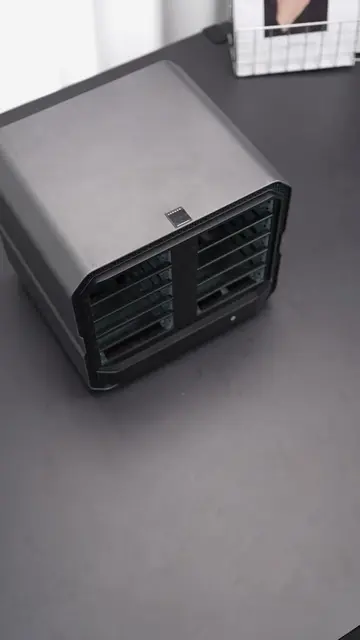
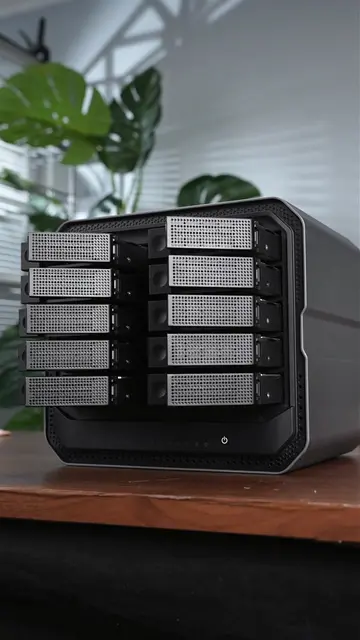
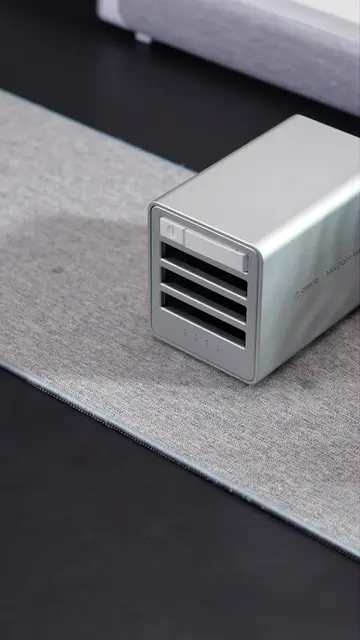
The video showcases the assembly and storage expansion capabilities of the Orico MiniTower, demonstrating how to install SSDs and HDDs. It highlights the device's cooling features, high-speed card readers, and RAID support.
Why MiniTower 🔹 Perfect Match for Mac Series 🔹 Built for Fast CoolingFan & Metal Casing & Airduct 🔹 High-Speed Readers TF/SD3.0 Sync 🔹 Hold and Cold Data processing 🔹 56TB-Support 8TB SSD + 24TB HDD*2 🔹 Magnetic Cover #DataStorage #techtok #Tech #storage #StorageSolution #ExternalStorage #orico #pcbuild #SSD #macmini
2TB
Demonstrating SSD installation
Showing the magnetic cover design
Adding additional storage drives
Configuring RAID 0 settings
Final product overview
Orico MiniTower (a) ACTS: The video demonstrates its physical assembly, the installation of SSDs and HDDs, its magnetic cover, and its RAID configuration interface. Removing this would leave the video with no subject. Orico (b) APPEARS: Logo on the device and the end card.
Playing this video’s own audio, so you’ll hear the creator over the sound.
Promotes 1 product. Create free account to see more.
Outliers and viral hits: their videos on Overshot, all time.
Hybrid SSD and HDD storage system for Mac mini users and desktop setups
All time.