Loading video…
All breakouts
3.5App DemoHow-To hookAI Tools
Hook
✨How to get this trending effect instantly? Just upload one photo! Super easy steps below 📸
@simon34114
136.6K followers · usually 15.8K views a post
Views
81.8K
Likes
2.8K
Comments
81
Shares
847
Promoted product
HypePicCreator
Why it worked
The video effectively uses a popular trend (photo templates) and provides clear, concise instructions, making it easy for viewers to replicate the effect and encouraging engagement with the HypePicCreator app.
Summary
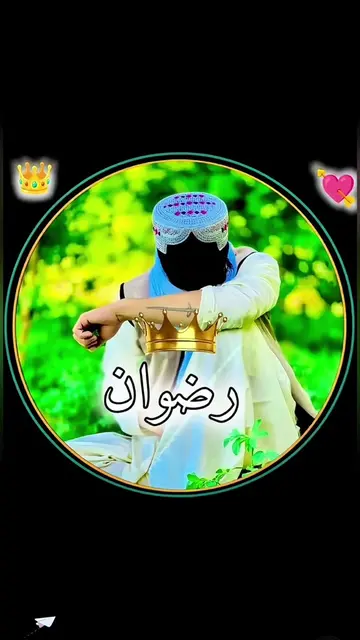
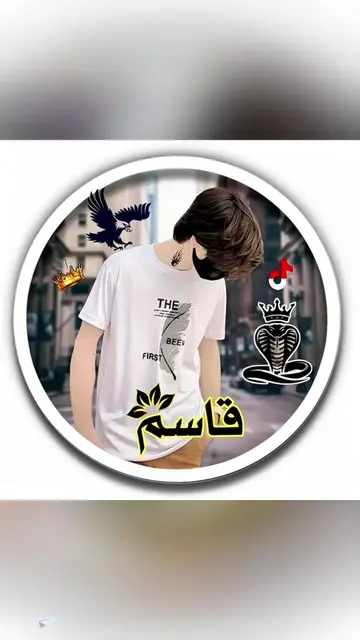
The video demonstrates how to use the HypePicCreator app to create a trending photo template effect. It guides the viewer through the steps of finding the template, uploading a photo, and exporting the final result.
Structure
- 1Showcase of different photo templates
- 2Demonstrate finding and using a template on HypePicCreator
- 3Upload a photo to generate the effect
- 4Export the final image
Product placement
TikTok: appears as a watermark on the video, does not act, removing it would not change what happens in the video.
HypePicCreator: acts, it generates a photo template, removing it would change what happens in the video.
Free Fire: appears as a logo in hashtags, does not act, removing it would not change what happens in the video.
Original caption
✨How to get this trending effect instantly? Just upload one photo! Super easy steps below 📸 1. Tap Template at bottom left 📑 2. Can’t find it? Tap my avatar 👤 3. Open this video 4. Find the template inside 5. Hit Use Template 6. Upload your favorite photo 🖼️ 7. Wait seconds for auto generation 8. Tap Export & done 🎉 ✨چطور این افکت محبوب را سریع بسازید؟ فقط یک عکس آپلود کنید! مراحل ساده: 📸 ۱. دکمه قالب پایین چپ را بزنید 📑 ۲. پیدا نکردید؟ روی آواتار من کلیک کنید 👤 ۳. وارد این ویدیو شوید ۴. قالب ویدیو را پیدا کنید ۵. گزینه استفاده از قالب را انتخاب ۶. عکس دلخواه خود را بارگذاری 🖼️ ۷. چند ثانیه صبر تا ساخت خودکار ۸. دکمه خروجی را بزنید، تمام شد 🎉 ✨اس ٹرینڈنگ ایفیکٹ فوری حاصل کرنے کا طریقہ؟ صرف ایک تصویر اپ لوڈ کریں! آسان مراحل: 📸 ۱. نیچے بائیں طرف ٹیمپلیٹ بٹن پر کلک کریں 📑 ۲. نہ ملے تو میری اوتار پر کلک کریں 👤 ۳. یہ ویڈیو کھولیں ۴. ویڈیو میں موجود ٹیمپلیٹ تلاش کریں ۵. ٹیمپلیٹ استعمال کریں پر کلک ۶. اپنی پسندیدہ تصویر منتخب کریں 🖼️ ۷. چند سیکنڈ انتظار، تصویر خود بن جائے گی ۸. ایکسپورٹ پر کلک، کام مکمل 🎉 ✨Bu populyar effekti dərhal necə əldə etmək olar? Yalnız bir şəkil yükləyin! Sadə addımlar: 📸 1. Sol alt küncdə Şablon düyməsini basın 📑 2. Tapa bilmədiniz? Mənim avatarıma klikləyin 👤 3. Bu videonu açın 4. Videonun içində şablonu tapın 5. Şablondan istifadə et düyməsini basın 6. Sevdiyiniz şəkli yükləyin 🖼️ 7. Bir neçə saniyə gözləyin, şəkil avtomatik hazırlanır 8. İxrac düyməsini basın, hər şey bitdi 🎉 ✨यह ट्रेंडिंग इफ़े तुरंत कैसे बनाएं? बस एक फोटो अपलोड करें! आसान स्टेप्स: 📸 1. नीचे बाएं कोने पर टेम्पलेट बटन टैप करें 📑 2. नहीं मि रहा? मेरे अवतार पर क्लिक करें 👤 3. यह वीडियो खोलें 4. वीडियो में टेम्पलेट ढूंढें 5. टेम्पलेट उपयोग करें टैप करें 6. अपनी पसंदीदा फोटो चुनें 🖼️ 7. कुछ सेकंड रुकें, तस्वीर अपने आप बन जाएगी 8. एक्सपोर्टर्ट टैप करें, सब तैयार 🎉🔥🔥 #hypic #hypiccreator #Godpic @hypic_global
More from @simon34114
More breakout videos from this creator.