Loading video…
Sound

original sound - future_product_2080
Future Wave · Original audio
0:00–:––
Playing this video’s own audio, so you’ll hear the creator over the sound.
Hook
Posted Sep 7, 2026Video · 0:10by @future_product_2080
This video promotes it, but we haven’t matched it to a product page yet, so there are no product figures.
The video provides immediate, actionable value by solving a common pain point for creators using a native, accessible tool within the platform they are already using.
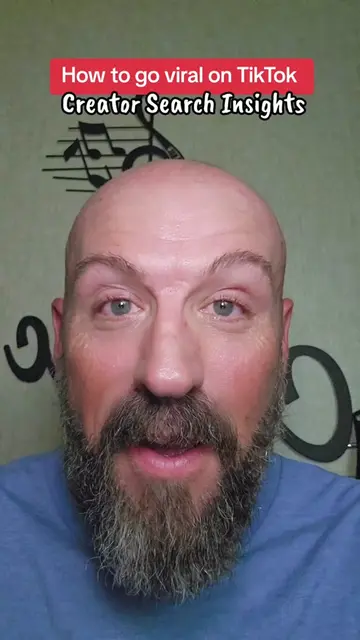
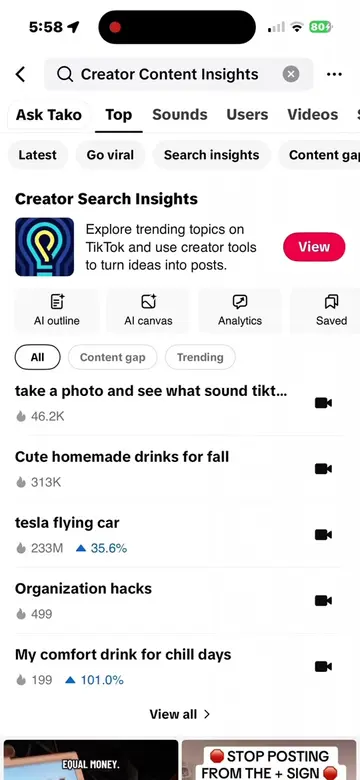
The creator demonstrates how to use the TikTok Creator Search Insights tool to identify trending topics and generate content ideas. The video provides a step-by-step walkthrough of navigating the app's interface to improve video performance.
Stop guessing what to post! 🛑 If you want your videos to actually get views, you need to be making content people are already searching for. Here’s your step-by-step guide to using TikTok’s Creator Search Insights tool to find high-demand topics in your niche: 1️⃣ Go to your TikTok Studio / Creator Tools 2️⃣ Tap into Creator Search Insights 3️⃣ Check trending topics & filter by what’s relevant to you 4️⃣ Look for high search popularity + low supply opportunities 5️⃣ Tap straight through to create and publish! 🚀 Save this video so you don’t forget next time you run out of content ideas! 📌 Hashtags: #tiktokgrowth #creatorsearchinsights #contentcreatortips #tiktokalgorithm #growontiktok
Want to go viral? Stop guessing what to post!
Identify the problem of guessing content topics
Navigate to the Creator Search Insights tool
Filter for trending topics
Use AI Outline to generate content ideas
Create and post the content
TikTok Creator Search Insights: (a) ACTS — the interface is operated to find trending topics and search volume, which is the core utility demonstrated. Removing it would change the video entirely. TikTok: (b) APPEARS — the platform name and logo are present as the environment, but the video is specifically demonstrating the internal tool.
Start using it today
Playing this video’s own audio, so you’ll hear the creator over the sound.
Outliers and viral hits: their videos on Overshot, all time.