Loading video…
Sound

original sound - tech4ssd
tech4ssd · Original audio
0:00–:––
Playing this video’s own audio, so you’ll hear the creator over the sound.
Hook
Posted Sep 19, 2026Video · 0:45by @tech4ssd
This video promotes it, but we haven’t matched it to a product page yet, so there are no product figures.
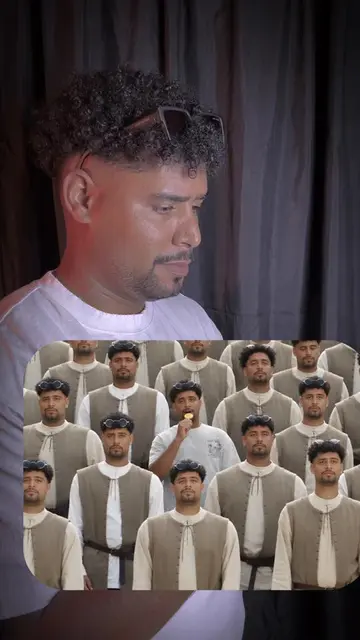
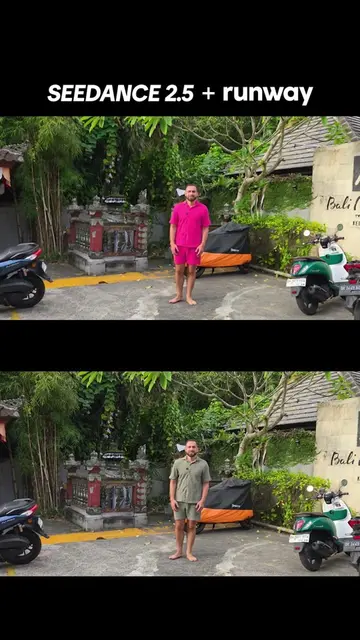
The video uses a high-impact 'before and after' visual hook that clearly demonstrates the specific capability of the tool, making the tutorial feel valuable and actionable.
The creator demonstrates how to use the Seedance 2.5 AI tool to replace a person in a video while maintaining the original movement and timing. The video provides a step-by-step tutorial on uploading assets and generating the final result.
Mentalists Tutorial | Replace Any Person in a Video With AI 🎬 Want to replace someone in a video while keeping their movement, choreography, camera and timing? With Seedance 2.5, use the original video for the performance and a character sheet for the new character. Upload both to an AI video generator like Luma AI, add the replacement prompt, match the duration, and generate. The result keeps the original performance while replacing the character with your reference. 🎥 Comment “STORM” 🌪️ and I’ll send you the full breakdown + universal prompt. #Seedance25 #AIVideo #AITutorial Tech4SSD #creatorsearchinsights #algeneratedvideo
Mentalists Tutorial | Replace Any Person in a Video With AI
Introduction to AI character replacement
Selecting Seedance 2.5 in the interface
Uploading character sheet and reference video
Configuring prompt and duration settings
Showing the final AI-generated result
Call to action for prompt breakdown
(a) Seedance 2.5 ACTS: its interface is operated to select the model, upload assets, and generate the video. (b) Luma AI APPEARS: mentioned in the transcript and on-screen as an example of an AI video generator, but the actual interface shown is Seedance 2.5. Removing the Luma AI mention would not change the core tutorial, but removing Seedance 2.5 would remove the subject of the video.
Comment “STORM” 🌪️
Playing this video’s own audio, so you’ll hear the creator over the sound.
Outliers and viral hits: their videos on Overshot, all time.