Loading video…
All breakouts
 2 videos
87.5Silent UGCOther hookEcommerce
Hook
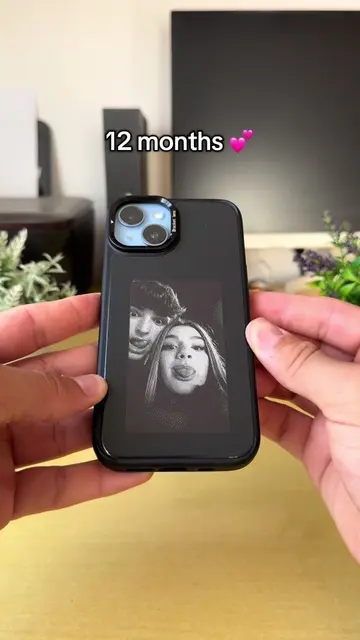
12 months
@pixlycasee
31.3K followers · usually 5.5K views a post
Views
469.0K
Likes
3.7K
Comments
29
Shares
612
Promoted product
PixlyCasethepixlycase.com
One Case. Endless Designs ✨
Why it worked
The video demonstrates a unique, highly visual product feature that solves a common desire for customization, making the product's utility immediately clear without needing any spoken explanation.
Summary
The creator demonstrates a smartphone case that allows users to change the image displayed on the back using a companion app. The video shows the process of scanning a photo and updating the case's display.
Structure
- 1Show old case
- 2Attach PixlyCase
- 3Scan photo in app
- 4Display updates on case
Product placement
PixlyCase: (a) ACTS — the creator demonstrates the interface of the case by scanning a photo into the app, which then updates the image displayed on the back of the phone case. Removing this would change the video as the product's core functionality is the subject of the demonstration.
Original caption
If you have an iPhone, you need this case 🤩😍 #case #iphonecase #giftidea #couple #relationships
More from @pixlycasee
More breakout videos from this creator.