Loading video…
All breakouts
46.1Talking HeadHow-To hookCreator Economy
Hook
iPhone 18 camera settings for a 70s film look
@andrewoptics
161.6K followers · usually 5.4K views a post
Views
240.6K
Likes
15.1K
Comments
128
Shares
1.3K
Why it worked
The video taps into a popular aesthetic trend (70s film look) and provides practical, actionable advice using a desirable, albeit speculative, product (iPhone 18). The clear demonstration and personal endorsement make it relatable and inspiring for aspiring creators.
Summary
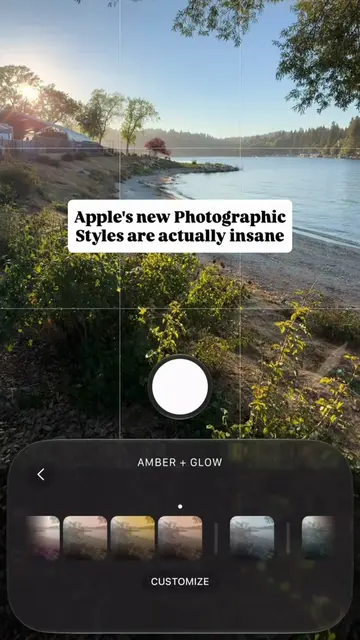
This video demonstrates how to use the iPhone 18 camera settings to achieve a 70s film look. The creator explains that they used the "Amber + Glow" filter with specific adjustments to "Glow" and "Grain" to create a warm, vintage aesthetic.
Structure
- 1Introduction of iPhone 18 camera settings for a 70s film look
- 2Demonstration of using Amber + Glow filter
- 3Explanation of Glow and Grain settings
- 4Creator's positive feedback on the aesthetic
- 5Call to action for viewers to save settings and suggest next styles
Product placement
iPhone 18 camera settings ACTS - the video demonstrates how to use the iPhone 18 camera settings to achieve a specific look. Removing it would change what happens in the video. iPhone 18 Pro Max ACTS - it is the device used to shoot the video and its camera settings are being discussed. Removing it would change what happens in the video. Amber + Glow ACTS - this is a filter or style applied within the iPhone camera settings to achieve the desired look. Removing it would change the outcome of the video. Glow ACTS - this is a specific setting within the Amber + Glow filter that is adjusted. Removing it would change the outcome of the video. Grain ACTS - this is another setting within the filter that is enabled. Removing it would change the outcome of the video.
Original caption
¡Phone 18 camera settings for a 70s film look 🎞️ I shot this on the iPhone 18 Pro Max using Amber + Glow, with the Glow texture pushed all the way up and grain turned on. I love the faded warmth and dusty character it adds. It makes a regular street feel like a 70s postcard. My settings: Amber + Glow Glow: 100 Grain: on Save these settings for your next shoot. What style should I try next? 👇 #shotoniphone #iphone18pro
More from @andrewoptics
More breakout videos from this creator.