Loading video…
All breakouts
89.1Silent UGCHow-To hookCreator Economy
Hook
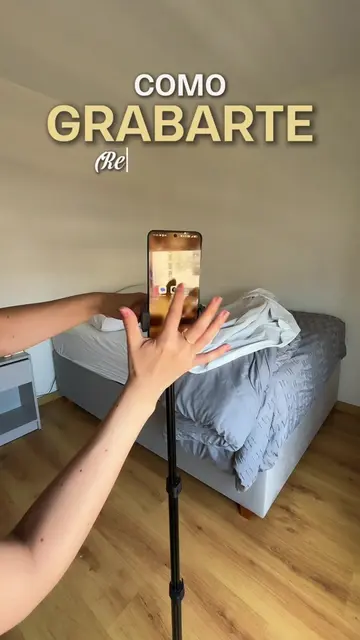
Como GRABARSE
@claudiasalinasj
10.3K followers · usually 1.1K views a post
Views
97.1K
Likes
4.2K
Comments
63
Shares
732
Why it worked
The video provides high-value, actionable visual tips for content creators, presented in a concise, easy-to-follow format that encourages saving for future reference.
Summary
A content creator demonstrates various camera angles and setups for filming oneself using a laptop. The video provides visual tips for creating more dynamic and varied content.
Structure
- 1Introduction to filming angles
- 2Demonstration of sitting and opening laptop
- 3Close-up shots of keyboard and screen
- 4Final result showcase
- 5Call to save the video
Call to action
Guarda este video
On-screen text
Como GRABARSE
Como GRABARSE (con la laptop, resultado al final)
GRÁBATE Sentandote
GRÁBATE Abriendo la laptop
GRÁBATE Apareciendo
GRABA El Teclado
GRÁBATE Tipeando
GRABA Tu pantalla
El Resultado
GUARDA ESTE VIDEO
Original caption
Aquí te dejo simples tips de cómo puedes grabarte 🤳🏻🎥para hacer más variados tus videos . Guarda este video para que lo utilices cuando grabes #tiktoktips #personalbrand #contentcreator #contentcreation #creaciondecontenido
More from @claudiasalinasj
More breakout videos from this creator.