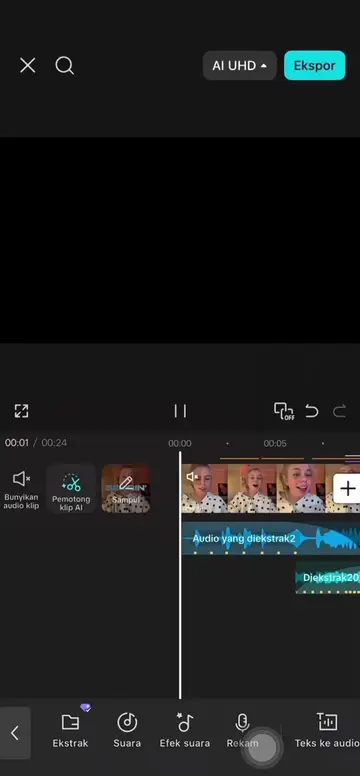
While doing this edit, I realized the soda that a man threw in this clip. Then when the soda turns and slides back, and I thought it was suitable as a transition. So I add this Zoro clip and put the mix transition on 0.1 seconds, so it turns out it's a perfect fit. Then I add the song and also to add the another Zoro clips to match a beat until the end. After that, I'm exit the project and create a new project with this 10 Zoro art images, then click on CapCut Assistant to cut the all image to 0.1 seconds long. Then export it once. Once it export, go back to the project and click the plus icon to add the exported clip. Then task to CapCut Assistant again to delete the all clips and keep only to the first exported clip. After that, tap on the clip, go speed and adjust speed on 2.0, then duplicate the clip two times and then export it. Once it done, I'm back to the main project and go to the second Zoro clip. Duplicate the clip and make it overlay, then replace overlay with the exported clips. Then go to the main Zoro clip again, duplicate again and make it overlay. Go remove BG, select custom removal, then I brush just at the character. Next, tap the Zoro art overlay and go to mask and select mirror. Add keyframes start and end, go to last keyframe, then enlarge the size. Go to first keyframe and make the size is max smaller. After that, go to the third Zoro clip, I'm freeze at the start clip and slide it under the frozen clip become overlay at the previous clip and make it 0.2 seconds long to match a beat. Go layers and slide it to front, then go mask, select mirror and adjust the rotate on 90 degrees, then adjust position to slightly to left. After that, go to the sixth Zoro clip and do the same thing process to freeze and overlay as in the third Zoro clip. Go remove BG, select custom removal, then I brush just at the character. And then for the 8th Zoro clip, I'm duplicate the Zoro art overlay and place it under to match with the main clip. Then go to the main Zoro clip, duplicate the clip and do the same thing process overlay and remove BG as in the 3rd Zoro clip. Next for the 9th Zoro clip, do the same thing process to freeze and overlay as in the previous clip. Go layers and slide it to front. Go mask and for this section I pick the circle mask, then enlarge the size like this. Go to Zoro art overlay, duplicate and place it under at the 11th clip. Then go to the main Zoro clip, duplicate the clip and do the same thing process overlay and remove BG as in the previous clips. Then for the 12th Zoro clip, do the same thing process to freeze and overlay as in the previous clips. Go mask, I pick the mirror mask, then adjust rotate on 90 degrees. After that, go to Zoro art overlay, duplicate and place it under at the 14th clip. And for this section, reset the mask or select none. Then I pick the mirror mask again and adjust the rotate on 90 degrees. Add keyframes start and end, go to last keyframe, then enlarge the size. Go to first keyframe and make the size is max smaller. Then go to the main Zoro clip, duplicate the clip and do the same thing process overlay and remove BG as in the previous clips. Go to 15 Zoro clip then do the same thing process to freeze and overlay as in the previous clip. Go layers and slide it to front, then go mask, select mirror and adjust the rotate on 90 degrees. And then for the last part, go to 18th Zoro clip and do the same thing process freeze and overlay as in the previous clips. Go remove BG, select custom removal, then I brush just at the character. After that, add the white flash effect, then shorten the effect to max smaller and place at the start overlay. Go object and select object to overlay. Duplicate the effect, go front and apply it to every subsequent overlay. Then go back to front effect, duplicate the effect and place at the start clip. Go object and select to all video. Duplicate again, then place on the every next clips and every next beats. After that, go to second Zoro clip and apply it turbulence 2 animation on 0.3 seconds. Then do the same to apply turbulence 2 animation on 0.3 seconds to each the next clips until the end. Okay, it's done. Please for like, save and repost.