543.2Kviews348×
Posted Nov 10, 2026
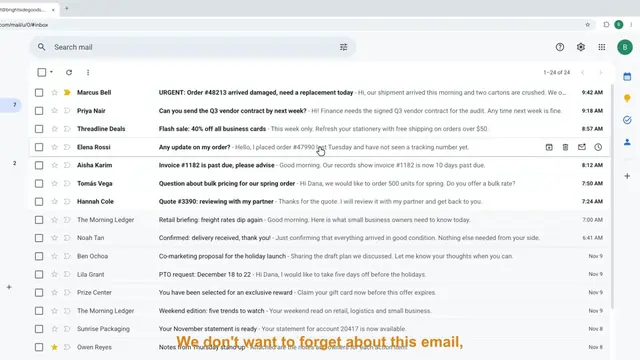
𝐁𝐚𝐬𝐢𝐜 𝐆𝐦𝐚𝐢𝐥 𝐈𝐧𝐛𝐨𝐱 𝐌𝐚𝐧𝐚𝐠𝐞𝐦𝐞𝐧𝐭 𝐓𝐮𝐭𝐨𝐫𝐢𝐚𝐥 𝐟𝐨𝐫 𝐁𝐞𝐠𝐢𝐧𝐧𝐞𝐫𝐬 | 𝐕𝐢𝐫𝐭𝐮𝐚𝐥 𝐀𝐬𝐬𝐢𝐬𝐭𝐚𝐧𝐭 𝐓𝐫𝐚𝐢𝐧𝐢𝐧𝐠 (𝐓𝐚𝐠𝐥𝐢𝐬𝐡) Want to learn how to manage emails like a Virtual Assistant? 📩 In this beginner-friendly Gmail tutorial, I'll walk you through how to organize, prioritize, and manage a client's inbox step by step. Inbox management is one of the most common tasks given to Virtual Assistants, but it's more than just reading and replying to emails. In this video, you'll learn: ✅ How to navigate Gmail and understand its features ✅ How to create and use labels to organize emails ✅ How to set up Gmail filters for automatic organization ✅ The difference between archiving and deleting emails ✅ How to prioritize urgent and important messages ✅ How to build a daily inbox management routine as a VA This tutorial is in Taglish and includes practical examples, so you can follow along even if you've never handled a client's inbox before. Whether you're an aspiring Virtual Assistant, Executive Assistant, or just someone who wants to become more organized with emails, this tutorial is for you! 💻 Practice tip: Open your own Gmail account and try the steps while watching. The best way to learn is by actually doing it. Subscribe for more free Virtual Assistant tutorials, AI tools, automation tips, and practical skills you can use when working with clients. #VirtualAssistant #GmailTutorial #InboxManagement #VirtualAssistantTraining #GmailForBeginners #VAJobs #ExecutiveAssistant #WorkFromHomePH